
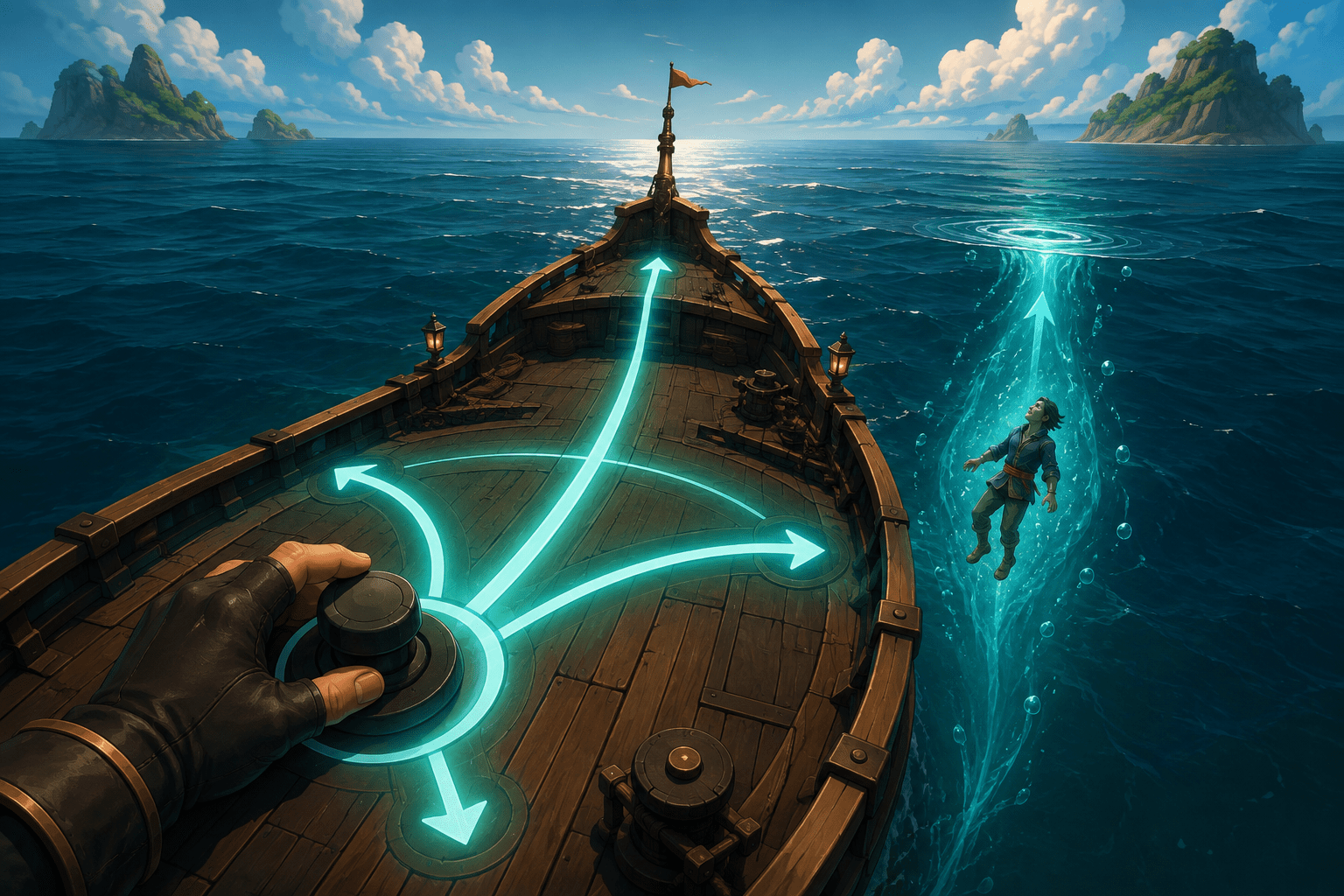
First-person games commonly divide navigation between two analogue sticks. One stick moves the character through the environment, while the other turns the camera. That arrangement allows a player to walk in one direction while looking in another, aim above or below the horizon, strafe sideways, and make continuous camera corrections. It also assumes that the player can operate two separate analogue inputs, often at the same time.
Sea of Thieves includes a built-in option called Play with a Single Analogue Stick that changes this control structure. Instead of merely assigning existing actions to different buttons, it combines essential movement and turning on either the left or right stick. The game also activates several related assists intended to compensate for camera and swimming actions that are no longer available through the unused stick.
This is an example of simplification through redesigned behaviour rather than remapping alone. It can reduce the number of simultaneous analogue inputs needed to travel through the game, but it does so by removing some forms of movement and camera control. Understanding that exchange is important because “single stick” does not mean that every two-stick action has been preserved on one smaller control surface.
What the Single-Analogue-Stick Setting Changes
The option appears under Settings, Input, in the Single Stick section. A player can leave it off, assign control to the left stick, or assign control to the right stick. Rare’s support documentation states that menu and object controls are moved to the selected stick. Movement and camera control are simplified to four basic directions: moving forward, moving backward, turning left, and turning right.
Forward and backward input therefore move the pirate along the direction they are facing. Left and right input turn that facing direction. This resembles a steering model more than a conventional first-person dual-stick layout. The camera and movement direction are no longer independently controlled in the same way.
Selecting the right stick disables the left stick entirely, while selecting the left stick disables the right. Rare specifically warns that changing the option while navigating a menu with an analogue stick can disable the stick currently being used. The directional pad remains available for uninterrupted menu navigation. That detail matters during setup, particularly if the player cannot easily switch between both sticks after one has been disabled.
The setting applies beyond walking around an island. Rare describes the whole game as playable with one analogue stick, and the control consolidation extends to menus and interactions. However, this statement should not be confused with a promise that the entire game requires only one physical input or one button. Actions such as jumping, interacting, selecting equipment, using items, attacking, and opening menus still require their assigned controls. The feature specifically reduces the two-stick navigation demand.
How It Differs From Controller Remapping
Controller remapping changes which physical control produces an existing command. If camera movement requires a second analogue axis, moving that command to another stick does not eliminate the need to operate it. Remapping can place buttons within reach, accommodate a preferred hand, or work with an adapted control arrangement, but the underlying number and timing of commands generally remain.
Play with a Single Analogue Stick changes the control model itself. It removes independent horizontal camera rotation from a second stick and connects turning to the same stick used for forward and backward travel. It also removes independent vertical camera control during ordinary navigation. The result requires fewer analogue axes, not simply a different placement for them.
This may support some players who use one hand, have limited reach across a standard controller, experience pain or fatigue when maintaining two-stick control, or use a customised input device with fewer analogue axes. Individual usefulness will depend on the rest of the player’s control setup. A person who can reach one analogue stick but not the necessary face buttons, triggers, bumpers, or directional pad may still need remapping, an adaptive controller, external switches, assistance from another person, or another input configuration.
Single-stick play and remapping can therefore be complementary. The single-stick option reduces the navigational structure to one analogue control; remapping can then relocate remaining actions. Neither feature by itself guarantees physical compatibility with a particular controller, mount, switch arrangement, or range of motion.
Why Auto Centre Camera Is Enabled
When single-stick play is activated, Auto Centre Camera is also turned on by default. This addresses a problem created by removing vertical camera control. Certain actions in Sea of Thieves, including digging up treasure and climbing a ladder, can tilt the view as part of their animation. Without a way to manually look up or down, the camera could remain at an unhelpful angle after the action ends.
Auto Centre Camera returns the view to a position facing the horizon. Players can independently change the delay before recentering and the speed at which the camera moves back. Those two adjustments matter because automatic camera movement can create its own access costs. A quick return may restore a predictable forward view sooner, while a slower movement may feel less abrupt. A longer delay can prevent the camera from responding immediately after an input, but it also leaves the view displaced for more time.
This is assistance, not automatic navigation. The camera returns toward a standard forward orientation; it does not choose a destination, steer around obstacles, locate treasure, or aim at enemies. The player continues to determine the direction of travel and turning. It is also not equivalent to eliminating camera motion. In fact, recentering introduces camera movement that the player did not directly command. People who are sensitive to visual motion may need to adjust its delay and speed or decide whether the benefit outweighs the motion cost.
Because Rare allows Auto Centre Camera to be changed independently after the single-stick option enables it, the default group is not a locked preset. A player can test different combinations. Turning the camera assist off may be workable in some activities, but an action that changes the vertical view could then leave the player without single-stick input for correcting it.
Locking Interaction Prompts Into View
Single-stick play also turns on Locking Interact Prompts into View. Interaction prompts normally depend on the player keeping an object within a useful part of the camera view. Requiring continuous small camera corrections would conflict with a layout that removes independent looking.
Locking prompts into view can reduce the precision needed to maintain access to an interaction after it has been located. It does not automatically find every usable object or complete the interaction. The player still has to approach the relevant area and provide the required input. This distinction separates target retention from object detection and automatic action.
The setting may be particularly useful when combined with Tap to Interact, another option in Sea of Thieves that changes supported held interactions into presses. The first feature can reduce the camera-control demand involved in keeping a prompt available; the second can reduce the sustained-button demand after the prompt is available. Toggle radial menus and Toggle to Use Item can further reduce selected holds. These options address different stages of an interaction and can be configured together rather than treated as interchangeable.
Why Automatically Float in Water Is Part of the System
Swimming normally depends partly on camera direction. If a player enters the ocean without vertical look control, aiming upward to reach the surface may be impossible through the selected stick. Automatically Float in Water solves that specific problem by bringing the pirate to the surface after entering the water and keeping them there.
This may reduce a combination of motor, spatial, and time-pressure demands. Falling from a height, being thrown from a ship, or being knocked into the water does not require an immediate vertical camera correction to avoid remaining submerged. The player is returned to an orientation from which surface travel remains possible with forward, backward, and turning inputs.
The trade-off is direct: while the setting is active, the player cannot choose to dive underwater. It is not an automatic swimming system that provides every form of aquatic movement. It removes underwater navigation so that reaching and staying at the surface no longer depends on vertical camera control.
That restriction can affect participation in activities that involve submerged locations, underwater searching, diving beneath hazards, or choosing a less visible route. The player may need to change the option temporarily, use another control configuration, or accept that certain approaches are unavailable. Automatic floating is therefore a substitution with a meaningful gameplay cost, not a complete preservation of the standard swimming system.
Movement and Camera Limitations
Rare documents three major restrictions for single-stick play: the player cannot strafe, cannot look up or down, and cannot look around while attached to ship controls. Each removes more than a decorative camera freedom.
Without strafing, the player cannot move sideways while maintaining the same facing direction. Repositioning generally requires turning toward the desired direction, moving, and turning again. This can add steps during combat, platforming, close positioning, or movement through narrow spaces. It may also change how easily a player can keep a threat or object centred while relocating.
Without vertical looking, objects above or below the default view may be harder to inspect. Auto centring addresses camera displacement but does not recreate intentional upward and downward exploration. Environmental layouts, elevation changes, threats, and interactable objects can still depend on vertical awareness.
The inability to look around while docked to ship controls affects activities such as steering and operating mounted equipment. Standard play allows a person to remain attached to a control while moving the camera separately. Single-stick mode cannot preserve that separation because the chosen stick is already responsible for the attached control. Situational awareness may consequently depend more on preparation, sound, assistance from crewmates, or leaving the control to turn the character’s view.
These limitations can be more consequential in a shared online world than in an environment that pauses while a player reorients. Sea of Thieves does not generally stop nearby players, creatures, ships, or environmental events while someone takes additional steps to turn and inspect the scene. Single-stick navigation reduces one type of simultaneous input demand, but it does not remove the game’s real-time demands.
Combining Single-Stick Play With Other Options
The automatically enabled supports form a sensible starting configuration, but they are not the only relevant settings. Auto Move can reduce the need to maintain forward input across longer distances. Tap to Interact, toggle-based item use, and toggle radial menus can reduce sustained holds. Digital input for radial menus may make selection possible through directional buttons rather than precise analogue positioning. Controller remapping can place remaining commands closer to the hand or device being used.
These combinations should be tested in ordinary travel, ship operation, combat, menus, and water rather than only in a quiet starting location. A configuration that works for walking may expose a barrier when the player takes the helm, selects an item from a radial menu, aims a weapon, or falls overboard. The interaction between automatic camera movement and motion sensitivity also deserves testing at different recenter delays and speeds.
The game’s cooperative structure may provide another layer of support, since crewmates can divide ship roles and assist with navigation or activities affected by the missing camera axes. Cooperation is not a replacement for built-in access, however. It depends on another person being available and willing to provide the specific assistance, and solo participation remains different from supported group play.
Platform Scope and Current Documentation
Rare’s current accessibility and support pages present Play with a Single Analogue Stick as a game setting and do not identify a platform-specific exception. The official site currently lists Sea of Thieves across Xbox Series X|S, PlayStation 5, Windows, Steam, Xbox Game Pass, and Battle.net. Players should still check the settings available in their installed version, particularly because controller support, platform-level remapping, peripherals, and input-device compatibility can differ outside the game itself.
Rare provides the setup steps, linked behaviours, and restrictions in its official guide to Play with a Single Analogue Stick, Auto Centre Camera, and Automatically Float in Water. The documentation is unusually helpful because it states not only what becomes easier to control, but also which movement and camera functions are surrendered.
A Deliberate Exchange Rather Than a Universal Replacement
Sea of Thieves does not compress every function of two analogue sticks into one. It replaces independent movement and camera control with forward and backward travel, left and right turning, automatic camera correction, retained interaction prompts, and automatic surface floating. This can make core navigation possible with one analogue stick while changing how the player moves, observes the environment, swims, and operates ship controls.
Access needs and control methods vary. Single-stick play may remove a decisive two-stick barrier, but it does not provide automatic completion, eliminate every simultaneous input, ensure compatibility with every physical setup, or preserve all standard movement. Its practical value depends on whether the reduced analogue demand is worth the loss of strafing, vertical looking, underwater travel, and free camera movement during attached ship actions.