
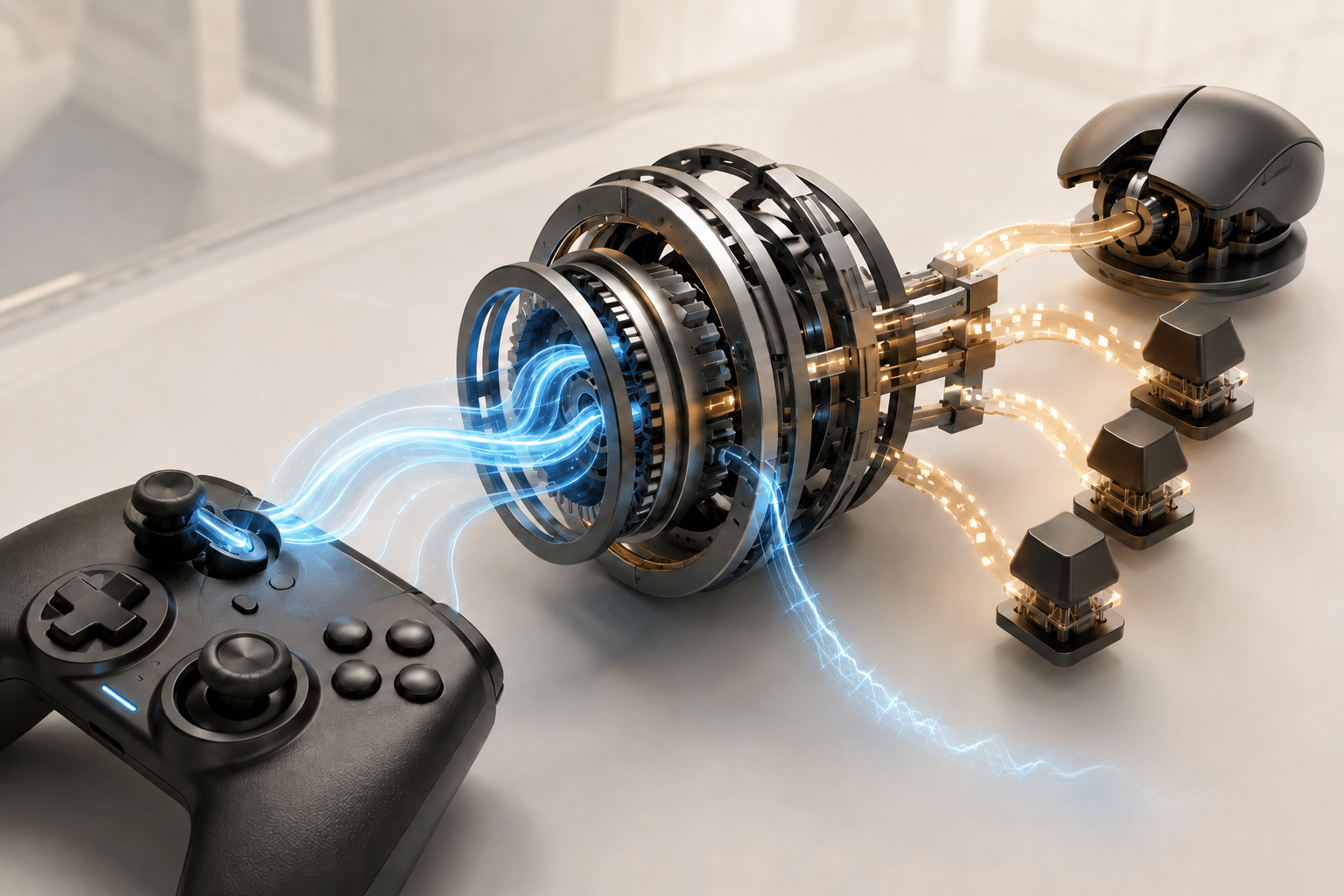
The 2009 PC release of Call of Duty: Modern Warfare 2 was built primarily around keyboard-and-mouse input. Its multiplayer mode does not provide the kind of integrated controller support found in many later PC games. For players who cannot comfortably use a mouse and keyboard, that missing input option can prevent participation before aiming difficulty, reaction time, or competitive balance are even considered.
MW2 Classic Gamepad Accessibility is a third-party mod by bambamthankyoumam that adds Xbox and XInput-compatible controller operation to the Steam version of Call of Duty: Modern Warfare 2 Multiplayer. It translates controller actions into keyboard-and-mouse commands the game already understands, while adding tuned analog-stick behaviour, separate aiming sensitivities, menu navigation, and configurable control templates.
This is not native engine-level controller support. The game still believes that it is receiving keyboard and mouse input, and it continues to display keyboard-and-mouse prompts. Understanding that distinction is essential when evaluating what the mod may make easier and which barriers remain.
Controller translation rather than native controller support
A game with native controller support recognizes analog sticks, triggers, face buttons, directional pads, and other controls as controller inputs. It can change button prompts, provide controller-specific menus, apply appropriate response curves, and switch consistently between input devices.
MW2 Classic Gamepad Accessibility instead operates as an input layer. It reads an Xbox or XInput-compatible controller and translates those inputs into controls already accepted by the PC game. A controller button can therefore produce the equivalent of a keyboard key or mouse button, while stick movement is converted into movement or aiming commands.
This approach makes controller operation possible without permanently modifying the game’s iw4mp.exe executable. It also allows the mod to work with a release that was not designed around full PC gamepad support. However, translation cannot expose controller functions that the underlying game does not provide.
The persistent keyboard-and-mouse prompts are one visible consequence. A player may press a controller button while the game displays a keyboard key. They must learn the relationship between the prompt and their current controller layout rather than receiving an automatically matched button icon.
Why changing the physical input method may matter
Mouse-and-keyboard play and controller play place different physical demands on the player. A typical keyboard layout may require one hand to span several keys while the other repeatedly moves and clicks a separate pointing device. That arrangement can involve finger isolation, sustained wrist positioning, rapid movement between keys, and enough reach to access actions distributed across the keyboard.
A controller consolidates many actions into a smaller handheld device. Movement and aiming are assigned to thumb-operated analog sticks, while actions are distributed among face buttons, shoulder controls, triggers, and a directional pad. This configuration may be more usable for some players with limited reach, reduced endurance, pain, tremor, or difficulty coordinating separate keyboard and mouse devices.
It should not be assumed that a controller is inherently more accessible. Standard controllers can require sustained gripping, thumb movement, trigger pressure, rapid button changes, and access to controls on both sides of the device. Someone who benefits from keyboard play, an adapted mouse, switches, or another input arrangement may gain nothing from this mod.
The modification provides an additional input route. It does not establish that route as appropriate for every motor disability or access need.
Deadzones and response curves shape analog-stick control
An analog stick reports a range of positions rather than a simple pressed-or-not-pressed state. Translating that range into mouse movement requires decisions about how small motions are handled and how quickly the virtual aim accelerates.
MW2 Classic Gamepad Accessibility includes tuned stick deadzones and response curves. A deadzone is an area around the stick’s resting position in which small input values are ignored. It can prevent drift or unintended movement when a stick does not return perfectly to centre. If the deadzone is too large, however, the player must move the stick farther before the game responds.
A response curve determines how stick displacement relates to output. A gradual curve can support finer movement near the centre while allowing faster turns near the edge. A more immediate curve may feel responsive but can make small corrections harder to control.
These parameters may affect players with tremor, limited thumb range, reduced precision, or older controller hardware, but no single configuration will meet every need. A larger deadzone might suppress unwanted small movements while also ignoring deliberate low-range input. A lower deadzone can respond sooner but may expose drift or involuntary motion.
The mod stores sensitivity and other settings in configsmw2_gamepad.ini. Its configuration can be reloaded without rebuilding the mod, allowing players to adjust the behaviour. This flexibility is valuable, although editing a configuration file is less discoverable than changing labelled sliders through an accessible in-game menu.
Hip-fire and aiming-down-sights sensitivity are separate
The mod provides separate sensitivity values for ordinary hip-fire aiming and aiming down sights, commonly abbreviated as ADS. This separation recognizes that the same stick movement may need to produce different results in different aiming states.
A player may prefer faster movement while looking around and slower movement while aiming more precisely. Using one sensitivity for both can create a compromise in which general turning feels too slow or targeted movement feels too abrupt.
Separate sensitivity does not provide aim assistance. It changes the relationship between the player’s stick input and the translated mouse movement. The player still controls the aim, tracks targets, and performs corrections.
This distinction is especially important in a competitive multiplayer game. The mod creator states that the input layer does not include aim assist, target tracking, recoil control, triggerbots, extrasensory perception or ESP functions, network modifications, progression changes, or content unlocks. Its purpose is to translate input rather than automate target acquisition or weapon control.
Hold-to-ADS recreates a console-style interaction
The mod includes console-style hold-to-ADS behaviour. The player holds the assigned controller input to remain aimed down sights and releases it to return to the ordinary view.
This may feel familiar to players accustomed to console shooters, but holding is not automatically the most accessible interaction. A sustained trigger or button press can increase fatigue or pain for someone who has difficulty maintaining pressure. A toggle, in which one press enters ADS and another leaves it, removes the sustained hold but introduces a state the player must remember.
The current mod description specifically documents hold-to-ADS rather than a choice between hold and toggle. It should therefore not be described as solving ADS-related sustained-input barriers. Its benefit is compatibility with a familiar console-style control convention, not removal of the hold requirement.
Players who require toggle aiming would need another compatible solution or a remapping layer capable of changing the behaviour. Combining multiple input translation systems can create conflicts, so compatibility should not be assumed.
Controller navigation extends beyond active play
Being able to move and aim with a controller is incomplete if the player must repeatedly return to a mouse for menus. MW2 Classic Gamepad Accessibility includes controller navigation for menus and loadouts and automatically switches between its menu and gameplay control modes.
This can reduce device switching during a session. A player may be able to select a class, navigate multiplayer screens, and return to play without transferring between controller, keyboard, and mouse.
Translation remains constrained by the existing interface. The menus were not rebuilt as native controller interfaces, and the original keyboard-and-mouse prompts remain. Controller navigation therefore supports movement through the interface without making the interface itself fully controller-aware.
The source documentation does not claim screen-reader output, interface narration, enlarged menu elements, or nonvisual menu access. The mod addresses the control method, not every visual or cognitive demand associated with the menus.
Templates provide starting points rather than universal profiles
The mod includes Default, Tactical, and low-sensitivity templates. Templates can reduce initial configuration by providing prearranged control and aiming choices. A low-sensitivity option may support players who prefer smaller output from a given stick movement, while Tactical can provide an alternative button arrangement.
A template is not the same as unrestricted remapping. The creator documents configuration through the mod’s INI file but does not claim compatibility with every adaptive controller, remapping application, or custom input arrangement.
The mod requires an Xbox controller or another device presented to Windows as XInput-compatible. A DualSense or other PlayStation controller must first appear to Windows as an XInput device. The creator identifies DS4Windows or DSX as possible ways to provide that translation.
This creates an additional layer between the physical controller and the game. The PlayStation controller is translated into XInput, after which MW2 Classic Gamepad Accessibility translates XInput into keyboard-and-mouse controls. Each layer may introduce configuration, compatibility, or troubleshooting demands.
Steam Input must be disabled
The documented setup requires the Steam controller override for Modern Warfare 2 to be set to Disable Steam Input. Leaving Steam Input active can cause conflicting or unexpected controls because two systems may attempt to process the same controller.
This means the mod is not simply added on top of any existing Steam controller layout. Players who use Steam Input for custom remapping, accessibility adjustments, or a particular physical controller may lose those configurations when disabling it for this game.
The trade-off is significant. Steam Input can provide remapping and device-conversion functions that are useful for accessibility. The mod supplies a purpose-built MW2 control layer, but its requirement to disable Steam Input may prevent some players from combining that layer with their existing setup.
Compatibility with external remappers, adaptive-controller software, virtual XInput devices, or simultaneous input tools needs to be evaluated individually. Remapping software that presents its output as a single XInput controller may work, but the source does not guarantee broad assistive-device compatibility.
Installation is limited to a specific release
MW2 Classic Gamepad Accessibility supports the Steam multiplayer component of Call of Duty: Modern Warfare 2 from 2009 on Windows. It is not documented as supporting the campaign executable, the 2020 remastered campaign, the unrelated 2022 game with the same subtitle, console releases, or non-Steam PC copies.
Installation requires downloading and extracting the archive, running Install-MW2Gamepad.bat, and allowing the installer to find the Steam installation and copy the required files. The player must then disable Steam Input through the game’s Steam properties before launching Multiplayer. An included Uninstall-MW2Gamepad.bat removes the mod.
The installer’s automation can reduce manual file placement, but running a batch file downloaded from a third party carries security implications. At the time of verification, Nexus Mods labels its automated scan result for this file “Some suspicious files.” That label does not, by itself, establish whether the detection is malicious, expected because of the loader and scripting behaviour, or a false positive.
Users should inspect the current Nexus scan details, community reports, file contents, and any updated release information before deciding whether to run it. The article cannot verify the executable safety of the download.
Online multiplayer adds a separate risk
The mod uses a third-party ASI loader. Its creator advises using it at the player’s discretion in online multiplayer and recommends testing in a private match before entering public play.
The stated fair-play exclusions indicate that the mod is designed as an input translator rather than a competitive cheat. That intention does not amount to official approval from Activision, Infinity Ward, Valve, a server operator, or an anti-cheat system. The project is explicitly unaffiliated with those companies.
A private-match test can reveal whether the controls function, but it cannot guarantee that public use will never trigger a technical or enforcement problem. Multiplayer services, detection systems, and policies can change. Players must consider the possibility of account or access consequences before using an injected third-party loader online.
This limitation separates the mod from a native accessibility setting. A control option supplied and supported by the game would not require the player to assess an unofficial loader’s security and multiplayer-policy risk.
What the mod does not change
Controller support can remove one major input barrier without changing the broader demands of Modern Warfare 2 Multiplayer. The mod does not reduce reaction-time requirements, automate aiming, control recoil, identify targets, simplify objectives, change damage, or protect the player from competitive failure.
It also does not replace keyboard prompts with controller prompts. A player may need to memorize mappings or consult documentation when the interface asks for an input that does not match the device in hand.
Aiming through stick-to-mouse translation may not feel identical to native console aiming. Without engine-level controller support or aim assist, the translated response may require additional adjustment. A controller user also competes in an environment built around PC mouse input, which can affect practical performance even when the controller functions correctly.
The creator’s [MW2 Classic Gamepad Accessibility page on Nexus Mods](https://www.nexusmods.com/codmw2/mods/83) provides the current download, configuration path, installation and removal instructions, troubleshooting log locations, scan status, and online-use warning. Because this is a new third-party multiplayer mod, that page should be rechecked before every installation or update.
An additional input route with important boundaries
MW2 Classic Gamepad Accessibility gives the 2009 Steam multiplayer release a controller route it did not properly provide on PC. Its tuned deadzones, response curves, separate sensitivities, menu navigation, templates, and automated installation may make the game more physically usable for some players who cannot comfortably use its expected keyboard-and-mouse arrangement.
It remains a translated input layer rather than native controller support. It retains keyboard prompts and hold-to-ADS, requires Windows, Steam, XInput, disabled Steam Input, and a third-party ASI loader, and carries unresolved security and multiplayer-policy considerations. Access needs vary, and the practical value of the mod depends on both the player’s physical input requirements and whether its installation and online-use risks are acceptable.