
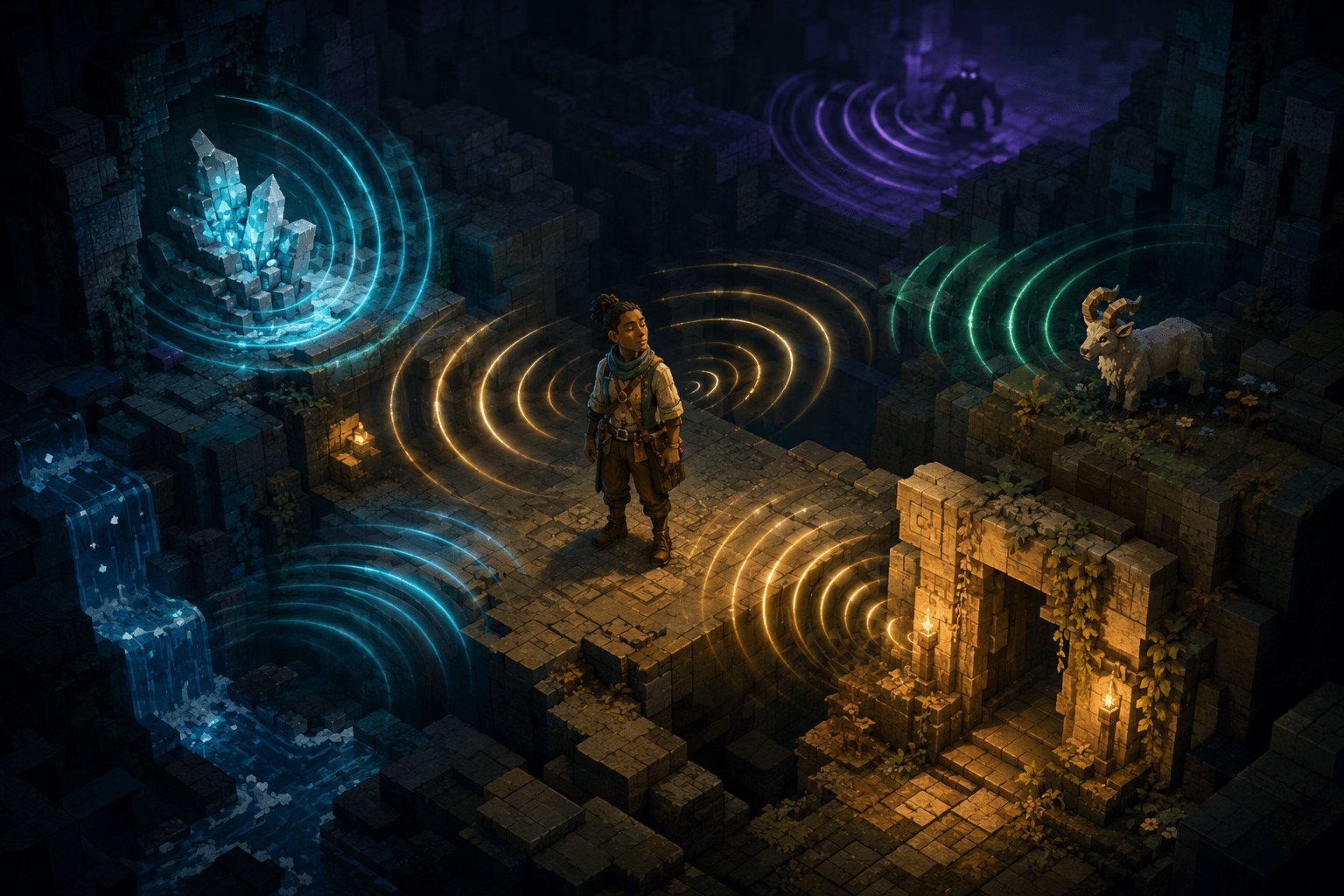
Minecraft: Java Edition presents much of its world through visual observation. Players locate ores by seeing exposed blocks, notice animals and hostile creatures moving through the environment, identify doors and ladders by their shapes, and aim the crosshair at objects before interacting with them. Although the game includes narration for parts of its interface, built-in narration does not comprehensively translate the surrounding three-dimensional world into nonvisual information.
Minecraft Access is a community-developed accessibility mod designed primarily for blind and visually impaired players. It expands interface narration, adds keyboard-based controls, provides status information, and uses sound cues to communicate spatial relationships. One of its most significant components is the Object Tracker, which creates a browsable account of nearby points of interest.
The Object Tracker does more than announce whatever happens to be under the crosshair. It scans for supported blocks and entities around the player, sorts them into groups, and allows the player to review, locate, and in some situations lock onto a selected object. This can make information that sighted players gather from a quick look around the environment available through speech and sound.
Minecraft Access is a third-party mod rather than a built-in Mojang or Microsoft accessibility feature. It is intended for Minecraft: Java Edition and requires a compatible game version, mod loader, supporting files, and speech setup. It does not apply to the console, mobile, or standard Bedrock editions of the game.
Why Crosshair Narration Is Not Enough
A system that narrates the object under the crosshair can identify what the player is already facing. Minecraft Access includes this functionality through its Read Crosshair feature, which speaks the name and relevant state of a targeted block or entity. It can, for example, distinguish an opened door from a closed one or report the side of a block being examined.
Crosshair narration does not independently reveal what exists outside the narrow direction in which the player is looking. Before an object can be identified, the player must rotate toward it and place the crosshair over it. That creates a discovery problem: an ore deposit, animal, ladder, dropped item, or hostile creature may be nearby without the player knowing where to aim.
Small or thin objects can be particularly difficult to find through manual crosshair movement. The Minecraft Access documentation identifies buttons, glass panes, and ladders as examples of blocks that may be difficult to target precisely. Moving entities introduce another challenge because their positions can change while the player searches.
The Object Tracker addresses this initial discovery stage. Rather than waiting for the crosshair to encounter an object, it builds a list of supported points of interest within the surrounding area. The player can then examine that list using keyboard commands.
How the Object Tracker Organizes the Surrounding World
The Object Tracker divides detected objects into categories instead of presenting every nearby item as one uninterrupted stream. Its entity groups include pets, bosses, hostile mobs, passive mobs, players, vehicles, and dropped items. Its block groups include ores, doors, fluids, functional blocks, and blocks that contain interfaces.
This grouping matters in a procedurally generated environment where the number of nearby blocks can be extremely large. Reading every stone, dirt, or decorative block would produce excessive narration and make important objects difficult to find. The tracker instead prioritizes configured points of interest and lets the player move between categories.
An additional “other blocks” group includes one example of each surrounding block type. This can help when the player is searching for a block that is not part of a more specialized category. It does not mean that every individual ordinary block is listed separately.
By default, Page Up and Page Down move through objects, while Control combined with those keys moves between groups. Home narrates the currently selected object. End targets the nearest object. Keybindings can change between releases or conflict with other controls, so players should check the documentation and in-game configuration for the version they have installed.
The current mod documentation indicates a default point-of-interest range of 24 blocks for supported releases. Detection range is not the same as interaction range. Hearing that an ore or entity is nearby does not mean the player is close enough to mine, attack, open, or otherwise interact with it.
From Object Identification to Spatial Orientation
Naming a nearby object provides only part of the information required to reach it. Players also need some understanding of direction, distance, and elevation. Minecraft Access combines narration with positional sound cues and relative-distance information to communicate more of that spatial relationship.
For crosshair targets, the mod’s relative-position cue uses volume to represent distance: a louder sound indicates that the target is closer. Pitch represents elevation, with higher tones indicating that the target is above the player. These cues can be disabled or adjusted through the mod’s configuration.
The Object Tracker can also speak relative distance information. Current releases enable relative-distance reporting by default for both the tracker and its related locking feature. Together, the spoken identification and spatial cues may help a player distinguish between knowing that an object exists and understanding where it is situated.
This is assistance with orientation, not automatic navigation. The player must still interpret the information, rotate or move in the appropriate direction, avoid environmental hazards, and determine whether a valid path connects their position to the object. An ore detected through a wall may require a different route, and an entity identified above the player may be standing on another floor rather than directly reachable by moving upward.
What Target Locking Adds
After selecting an object through the tracker, the player can use the related point-of-interest locking system. Locking causes the camera to follow the chosen target, including moving entities, which may make approaching or interacting with it more manageable.
The documentation gives mining ore, capturing an animal, and fighting a monster as possible uses. For a moving entity, maintaining the camera’s direction toward the target can reduce the need to continually relocate it through manual scanning. For a static object, it can keep the crosshair oriented toward the relevant position while the player approaches.
Target locking is different from movement automation. It does not walk the character along a safe route, jump over gaps, climb stairs, or prevent collisions. Camera direction and character movement remain separate parts of the interaction. A player can be facing a target while an obstacle, wall, drop, or hostile creature remains between them and it.
The lock also changes or ends in particular situations. Minecraft Access automatically stops locking onto a ladder when the player begins climbing it. It stops locking onto a block if that block is destroyed or changes state, such as when a door opens or a piston activates. These behaviours prevent the system from continuing to track an object that no longer exists in the same form.
Object Tracking Versus Aim Assistance
The Object Tracker should not be confused with automatic combat targeting. It lets the player browse nearby points of interest and select an object to track, but it does not automatically attack every hostile entity or decide which threat should receive priority.
Minecraft Access separately includes a bow aim-assist feature. When the player begins drawing a bow, that feature can lock onto the nearest hostile mob. It uses different sounds to indicate whether the target can currently be hit and uses changes in pitch to communicate the bow’s draw progress.
That bow-specific support does not make all combat automatic. The player still chooses when to draw and release the bow, manages ammunition and equipment, responds to multiple threats, and remains responsible for positioning. A nearest-target rule may also select a different hostile creature from the one the player would otherwise prioritize.
Keeping the distinction clear helps describe the practical role of each feature. The Object Tracker supports awareness and selection across several types of environmental objects. Point-of-interest locking supports orientation toward a selected target. Bow aim assistance applies a more specialized targeting behaviour during ranged combat.
Custom Points of Interest and Information Filtering
A predefined accessibility list cannot anticipate every block a player might want to find, particularly when other mods add new resources and objects. Minecraft Access therefore allows players to mark a block type while targeting it with the crosshair.
Once a block type is marked, the tracker adds a group containing nearby blocks of that type. Players can configure scanning to focus on marked types or suppress some predefined notifications. This allows the tracking system to be adapted to a particular task rather than remaining limited to its original categories.
Filtering can also reduce auditory and cognitive load. Constant identification of common blocks may obscure more important information, while notifications for numerous entities can become difficult to follow in crowded areas. Minecraft Access includes a partial-speaking feature that can function as a whitelist or blacklist for crosshair narration, although the documentation warns that it can be misconfigured.
More filtering is not automatically better. Excluding a phrase too broadly could suppress information the player needs. A narrowly configured tracker may be less noisy but could also fail to announce an unexpected hazard or resource. Players may need to adjust the balance based on the environment, their preferred speech rate, and the kinds of information relevant to their current activity.
Combining the Tracker with Other Minecraft Access Features
The Object Tracker forms one part of a larger nonvisual interaction system. Minecraft Access’s keyboard camera controls report compass directions as the player rotates, including cardinal and intermediate directions as well as vertical orientation. This can provide a stable directional reference when interpreting the location of a tracked object.
Read Crosshair provides detailed information once an object is directly targeted. The tracker may reveal that a door is nearby, while crosshair narration can report its type, orientation, and whether it is open. Inventory Controls then provide keyboard navigation and narration for many item-based screens after the player interacts with a container or crafting interface.
The Position Narrator can read the player’s coordinates. Player Status reports information such as health, hunger, armour, remaining air, and active effects. Player Warnings can announce low health, hunger, air, and equipment durability. The Fall Detector uses sound cues to warn about significant drops near the player.
These features address different information gaps. Object tracking does not report the player’s health, and status narration does not reveal a nearby ladder. A fall warning does not identify a safe route, while camera controls do not list surrounding entities. Using several systems together can provide a broader picture of the world, but it also increases the amount of speech and sound the player must process.
Auditory Load and Competing Information
Minecraft Access relies heavily on speech and audio cues. This makes information available without sight, but it can also produce a dense auditory environment. Narration may compete with creature sounds, combat effects, environmental audio, voice chat, status warnings, and point-of-interest notifications.
Sound cues communicate different kinds of information through position, pitch, volume, and sound type. Learning those distinctions takes time. A player who has difficulty discriminating pitch or locating stereo sound may not receive the same benefit from every cue. Hearing loss, auditory-processing differences, tinnitus, sound sensitivity, or the use of a mono audio setup may affect how spatial information is perceived.
Configuration can reduce some of this load. Cue volume can be adjusted, selected features can be disabled, and scanning can be narrowed. However, removing an unwanted sound may also remove the information it communicates. The mod converts visual information into other sensory channels; it does not eliminate the need to receive and interpret information.
The project’s documentation also notes that entity scanning stops while a menu screen is open to keep screen narration cleaner. This reduces competing speech, but nearby hostile creatures can continue moving while the player is using the menu. The cleaner interface therefore comes with a situational-awareness trade-off.
Installation and Compatibility Are Accessibility Barriers
Minecraft Access is client-side software for Minecraft: Java Edition. It is not available as a standard setting within the game and must be installed with a compatible mod loader. The project currently documents Fabric and NeoForge setup, with Fabric recommended for players who are new to Minecraft modding. Historical and current releases listed through Modrinth cover specific combinations of Minecraft versions and loaders rather than one universal file.
The chosen Minecraft version, mod-loader version, Minecraft Access build, and required dependencies must be compatible. Updating the game without updating the mod and its supporting files can prevent the modified game from launching or cause features to malfunction. This makes version management part of the access process.
Speech output also has operating-system requirements. According to the project’s setup documentation, Windows users need NVDA or JAWS running for the mod’s speech output. Microsoft Narrator alone is not supported for this purpose. Linux uses Speech Dispatcher and may require eSpeak NG. The project supports macOS, although its documentation warns that inventory controls may require an external monitor or reduced interface scale on some Mac configurations.
The need to install a mod loader, select matching versions, manage dependencies, and configure external speech software is a meaningful barrier. The mod may substantially improve access after installation while the installation process itself remains difficult to complete without technical assistance.
Limits of Third-Party Coverage
Minecraft Access changes many interactions, but it cannot guarantee accessibility across every Minecraft version, multiplayer server, or additional mod. Custom server menus may repeatedly alter item names and produce excessive narration. Other mods can introduce screens, objects, mechanics, or visual information that Minecraft Access does not understand.
The tracker also does not narrate every block in the world as a unique object. It prioritizes configured points of interest and representative block types. This avoids an unusable flood of information, but it means environmental details can remain undisclosed unless they are targeted, marked, or supported elsewhere in the mod.
Procedural terrain creates further limitations. Identifying a destination does not describe the complete geometry between the player and that destination. Overhangs, narrow ledges, lava, flowing water, irregular stairs, and enclosed spaces can still make movement difficult. The Fall Detector provides additional warning near large drops, but it is not a comprehensive pathfinding or collision-avoidance system.
Because Minecraft Access is maintained independently, changes to Minecraft: Java Edition can temporarily disrupt compatibility. Players should consult the original Minecraft Access page on Modrinth and the project’s release documentation rather than assuming that the newest mod file will work with every game installation.
Practical Scope of the Object Tracker
The Object Tracker addresses a specific problem: nearby objects that are apparent through sight may be undiscoverable through crosshair narration alone. By listing supported blocks and entities, grouping them by function, reporting relative location, and connecting them to a targeting system, the mod provides a way to inspect the surrounding environment without manually sweeping across every possible direction.
It does not reproduce vision, generate a full verbal model of the terrain, or automatically complete movement, mining, crafting, and combat. Its usefulness depends on compatible software, functioning speech output, understandable sound cues, appropriate configuration, and the player’s ability to interpret the resulting spatial information.
Access needs vary. Minecraft Access’s Object Tracker may substantially improve environmental awareness for some blind and visually impaired players, but it remains one component of a third-party accessibility system and cannot remove every interface, navigation, auditory, compatibility, or installation barrier in Minecraft: Java Edition.