
Progression in Call of Duty: Black Ops III Zombies depends on finding and identifying objects throughout each map. Players purchase weapons from walls, open blocked routes, activate electrical power, use perk machines, locate the mystery box, and eventually access systems such as Pack-a-Punch. Many of these objects are identified visually through their models, lighting, symbols, or placement within the environment.
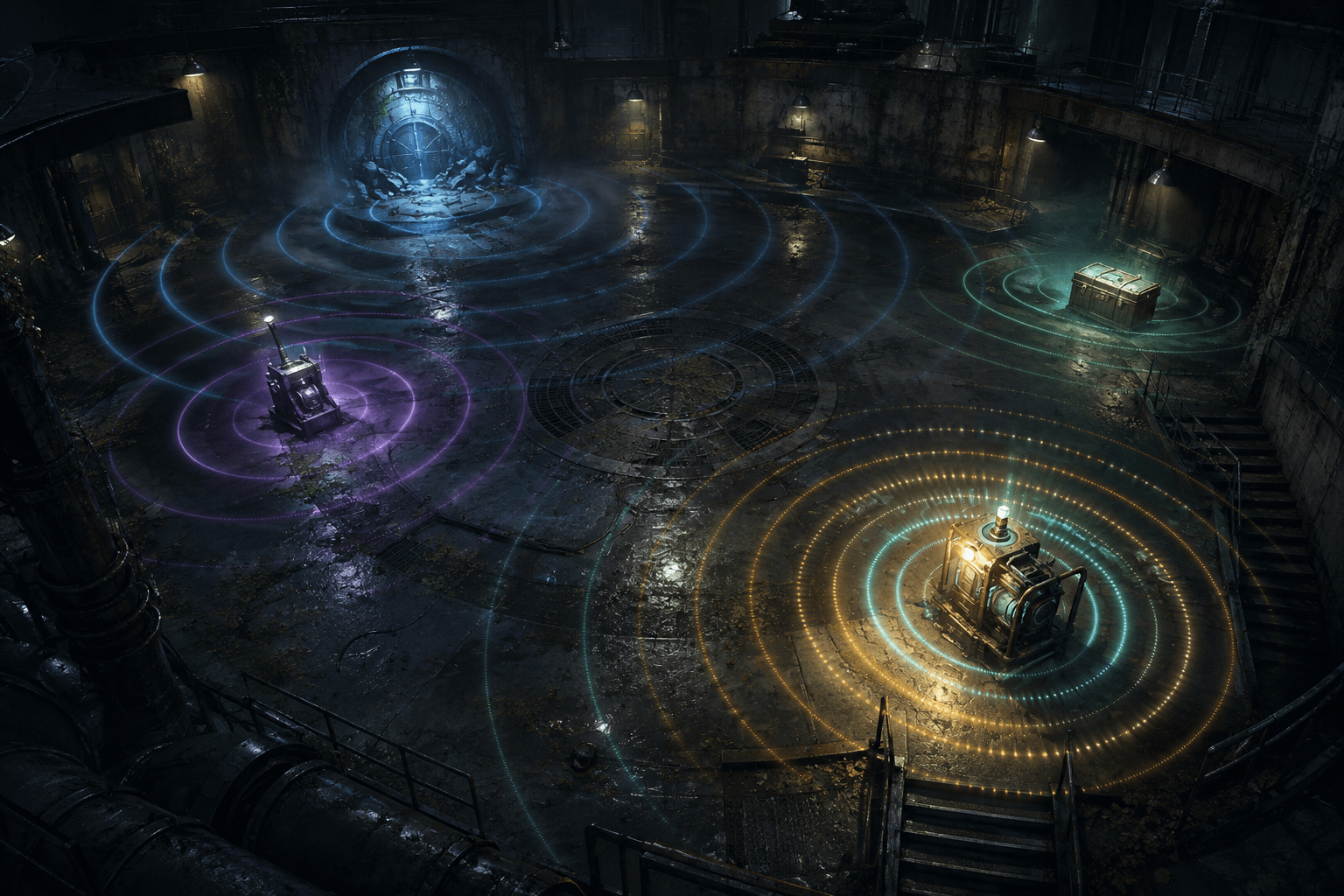
The community-created BO3 Zombies Accessibility Mod adds interactable audio beacons for blind and low-vision players. Supported objects emit a three-dimensional beep from their location. The beacon changes according to distance, while spoken purchase prompts provide the name and cost of a supported buyable once the player is standing close enough to use it.
This creates two stages of information. The spatial beacon supports discovery and approach. The purchase announcement supports identification and confirmation at interaction range. Neither stage automatically buys the item, opens the route, or completes the map’s progression.
The feature is part of a larger accessibility mod that also includes zombie-proximity warnings, game-state speech, auto-aim assistance, controller rumble, and menu reading. This article focuses specifically on the interactable beacons because they address a distinct problem: locating stationary environmental objects in a fast-moving first-person game.
Which objects receive beacons
The mod’s documentation identifies several categories of supported interactables. These include perk machines, wall-mounted weapon purchases, the mystery box, doors and removable debris, the power switch, Pack-a-Punch, the GobbleGum machine, barriers, and traps.
These objects do not all serve the same purpose. Some provide optional upgrades or weapons. Others control whether the player can reach another part of the map. The power switch may activate systems elsewhere, while Pack-a-Punch upgrades weapons after the necessary progression requirements have been met.
A beacon therefore does not simply mark collectible items. It can represent a purchase opportunity, a route boundary, a progression mechanism, or an environmental control. The player must learn what the identified object does and decide whether interacting with it is useful at that point in the match.
Coverage is implemented for known object types rather than generated through unrestricted visual recognition. The mod does not claim to identify every object, decoration, map-specific quest component, or custom interactable that might appear in Zombies mode.
How distance is communicated
Each supported interactable produces a beep located at the object in three-dimensional game space. Listening to the apparent direction of the sound may help the player turn toward it and adjust their route.
The beacon also varies its pitch and pulse rate according to distance. As the relationship between the player and object changes, the auditory pattern provides more than a binary indication that something exists. It supplies an approximate sense of whether the player is approaching or moving away from the source.
Pulse rate and pitch should not be confused with exact measurement. The mod documentation does not describe the beacon as announcing a numerical distance in metres or game units. It communicates a relative relationship through sound.
This may reduce the need to move randomly until an interaction prompt appears. A player can orient toward the sound, listen for changes while walking, and make directional corrections. The process still requires interpreting spatial audio and navigating the map’s physical geometry.
A beacon may appear to come from the correct direction while a wall, staircase, locked door, or elevation change blocks a direct route. Three-dimensional direction does not necessarily reveal the accessible path to the object. Players may need map familiarity, exploration, or other navigation information to determine how to reach the source.
Discovery is separate from identification
The beacon indicates the location of a supported interactable, but a generic sound alone may not provide all the information required to make a purchase decision. The mod adds another layer when the player reaches a buyable: it speaks the object’s name and cost.
This announcement can help distinguish a weapon purchase from a perk machine or other nearby option. It also exposes the resource requirement without requiring the player to read the price visually.
Cost information is significant in Zombies because points are limited and are used for multiple competing purposes. Opening a door may provide access to the power switch, while purchasing a weapon may improve immediate survival. The mod makes the purchase information available, but the player still decides how to spend their points.
The interaction prompt does not mean that the game will complete the purchase. The player must activate the relevant controller input. If insufficient points are available or another gameplay requirement has not been met, the object may remain unavailable.
The distinction between location, identification, and activation prevents the beacon system from being described as automatic progression. It supports each decision by exposing information, but it does not decide which door should be opened or which upgrade should be purchased.
How this differs from an object scanner
Some accessibility systems create a list of nearby objects and let the player browse it. The interactable beacons in the BO3 Zombies Accessibility Mod use a different presentation. Supported objects announce their presence from within the environment through spatial sound.
A list-based scanner can organize objects by category and allow information to be reviewed sequentially. A beacon can preserve the object’s apparent location without first moving focus into a separate review interface. The player listens within the same audio space used for movement and combat.
That immediacy has trade-offs. If several supported objects are nearby, their signals may overlap. The player may need to separate multiple pulse patterns while also monitoring zombies, weapons, speech, and environmental sounds.
The system also does not provide the camera-locking behavior found in some object trackers. Hearing a beacon does not automatically rotate the player toward the source or keep the view aligned while moving. The player performs the approach through ordinary first-person movement.
Nor is the feature equivalent to route guidance. It supplies the position of an endpoint, not a sequence of turns around obstacles. A beacon located on the other side of a blocked passage may be detectable before the route leading to it is understood.
Beacons operate during an audio-dense game
Zombies mode contains many competing sounds. Enemies make noises as they approach, weapons fire repeatedly, barriers break, powerups activate, characters speak, and music or environmental effects may play. The accessibility mod adds its own threat tones, spoken status information, lock-on pings, rumble, and interactable beacons.
This creates a substantial auditory-processing demand. A player may need to distinguish an object beacon from a zombie-direction cue or another gameplay announcement while continuing to move and defend themselves.
The mod’s zombie-proximity system assigns low, medium, high, and critical threat levels. It includes directional cues for enemies in front, behind, to the left, or to the right, as well as a warning when the player is surrounded. Controller rumble scales with the assessed threat.
Those signals may help preserve awareness while attention is directed toward a beacon. They do not make it safe to follow the sound without interruption. An interactable remains stationary, but enemies continue moving and attacking.
Players may need to approach in stages: identify the beacon’s direction, respond to nearby enemies, reorient toward the object, and then listen for the spoken interaction information. Access is available through several channels, but simultaneous signals can still become difficult to prioritize.
Spatial audio is not universally accessible
The beacon system is primarily designed around hearing. A player who cannot hear its pitch, pulse, or direction may receive little benefit from it. The repository does not document a visual or text-based substitute specifically for the beacon’s spatial and distance information.
Headphones may make three-dimensional placement easier to interpret for some players, although they are not suitable for every sensory profile. Speaker arrangement, hearing differences between ears, sound-processing ability, and the game’s other audio can all affect the clarity of direction.
Pitch is also not equally distinguishable to every listener. A player may perceive the pulse-rate change more readily than the pitch change, or the reverse. The documentation establishes that both properties carry distance information, but it does not claim that either provides a universally precise measurement.
Controller rumble is used elsewhere in the mod to reinforce zombie threat. The interactable-beacon documentation does not state that object distance is reproduced through vibration. Players should not assume that every auditory cue has a tactile equivalent.
Supported maps determine practical coverage
The mod does not provide the same level of support across every Call of Duty: Black Ops III Zombies map. Its documentation divides maps according to how completely their progression structures can be supported.
The Giant is listed as a recommended Tier 1 map. With the optional Zombies Chronicles downloadable content, Kino der Toten and Nacht der Untoten are also recommended. These maps use comparatively conventional structures involving doors, a power switch, and Pack-a-Punch.
Der Eisendrache, Ascension, and Revelations are classified as Tier 2. The basic survival experience works, but progression is partial. Map-specific processes required to reach Pack-a-Punch are not yet guided.
Shadows of Evil, Origins, Moon, Zetsubou No Shima, and Gorod Krovi are explicitly unsupported. These maps replace or extend ordinary progression with systems involving rituals, generators, oxygen, dragons, and other specialised mechanics that the mod does not narrate.
This limitation illustrates the difference between detecting standard interactables and supporting an entire map. A beacon for a door or perk machine does not explain a multi-stage quest, communicate every state change, or guide the player through an unusual progression sequence.
A player might therefore be able to survive, purchase weapons, and locate selected objects on a partially supported map without being able to complete its major objectives independently. The presence of accessibility features should not be interpreted as complete coverage.
Auto-aim does not navigate to the beacon
The mod includes an auto-aim assist that activates while the player holds the aim-down-sights control. It snaps toward the nearest visible zombie after checking line of sight and produces a lock-on ping.
This combat feature is separate from the interactable beacons. Auto-aim targets zombies rather than doors, machines, or progression objects. It does not steer the player through the environment or rotate toward a beacon.
The line-of-sight requirement also means auto-aim is not automatic enemy elimination. The relevant zombie must be visible to the game’s targeting logic, and the player still controls firing, ammunition, movement, and tactical positioning.
Combining auto-aim with beacons may reduce two different barriers: aligning attacks with visible enemies and locating stationary interactables. Neither system removes the need to manage threats while travelling between objects.
Installation is substantially more complex than enabling an add-on
The BO3 Zombies Accessibility Mod currently requires the Steam version of Call of Duty: Black Ops III and the free Call of Duty: Black Ops III Mod Tools. It also requires NVDA to be running before the mod’s launcher starts.
The current installation process is source-based rather than a simple subscription through the Steam Workshop. The repository must be cloned or copied, and its deployment script builds the gameplay scripts, sound assets, and zone files using the separate Mod Tools installation.
The launcher must also be built. The documented build process currently requires the .NET 10 SDK, while the game’s Mod Tools require older Visual C++ and DirectX components. A known first-build sound-conversion problem may require the deployment script to be run a second time.
During play, the custom launcher must remain open because it acts as the bridge between the game and NVDA. Closing it silences the mod’s in-game speech. The launcher selects a supported map, mirrors the built mod into the retail game folder, and starts the game with the correct configuration.
This installation burden is a meaningful accessibility limitation. A mod may provide sophisticated nonvisual gameplay information while still requiring command scripts, development tools, software dependencies, and troubleshooting before that information becomes available.
Controller and play-mode restrictions
The mod targets play with an Xbox controller. Its repository states that all in-game interaction uses controller buttons because keyboard bindings do not work in the documented modded setup.
This is not the same as broad alternative-input compatibility. Someone who cannot use the expected controller layout may not be able to substitute ordinary keyboard commands. The mod’s features do not establish compatibility with every adaptive controller, remapping layer, or custom input device.
Play is also restricted to solo sessions. Loading a mod removes the normal Solo lobby option, and the launcher starts a map directly in offline mode. The mod is designed around that engine limitation rather than online cooperative play.
Offline mode lacks the ordinary GobbleGum profile and experience tracking. The mod provides its own launcher-based GobbleGum loadout for up to five selections, but some rarer options may remain unavailable.
Settings cannot currently be changed through working in-game toggles. Custom values must be written to the mod configuration before launch and take effect during the next session.
A location signal rather than complete map guidance
The BO3 Zombies Accessibility Mod’s interactable beacons convert selected environmental objects into directional audio sources. Pitch and pulse rate communicate relative distance, while spoken prompts identify supported purchases and their costs at close range.
The system does not construct a route, resolve map-specific quests, or guarantee that an object is safely reachable. Its practical coverage depends on the map, the supported object type, correct installation, continued operation of the launcher, NVDA, and the player’s ability to interpret layered spatial audio.
The mod is actively documented through its original BO3 Zombies Accessibility Mod repository, which should be checked for current requirements and map coverage before installation.
Access needs vary. These beacons may make supported Zombies interactables more discoverable without sight, but they do not remove the game’s auditory load, controller requirements, installation barriers, unsupported progression systems, or need for active navigation and combat.