
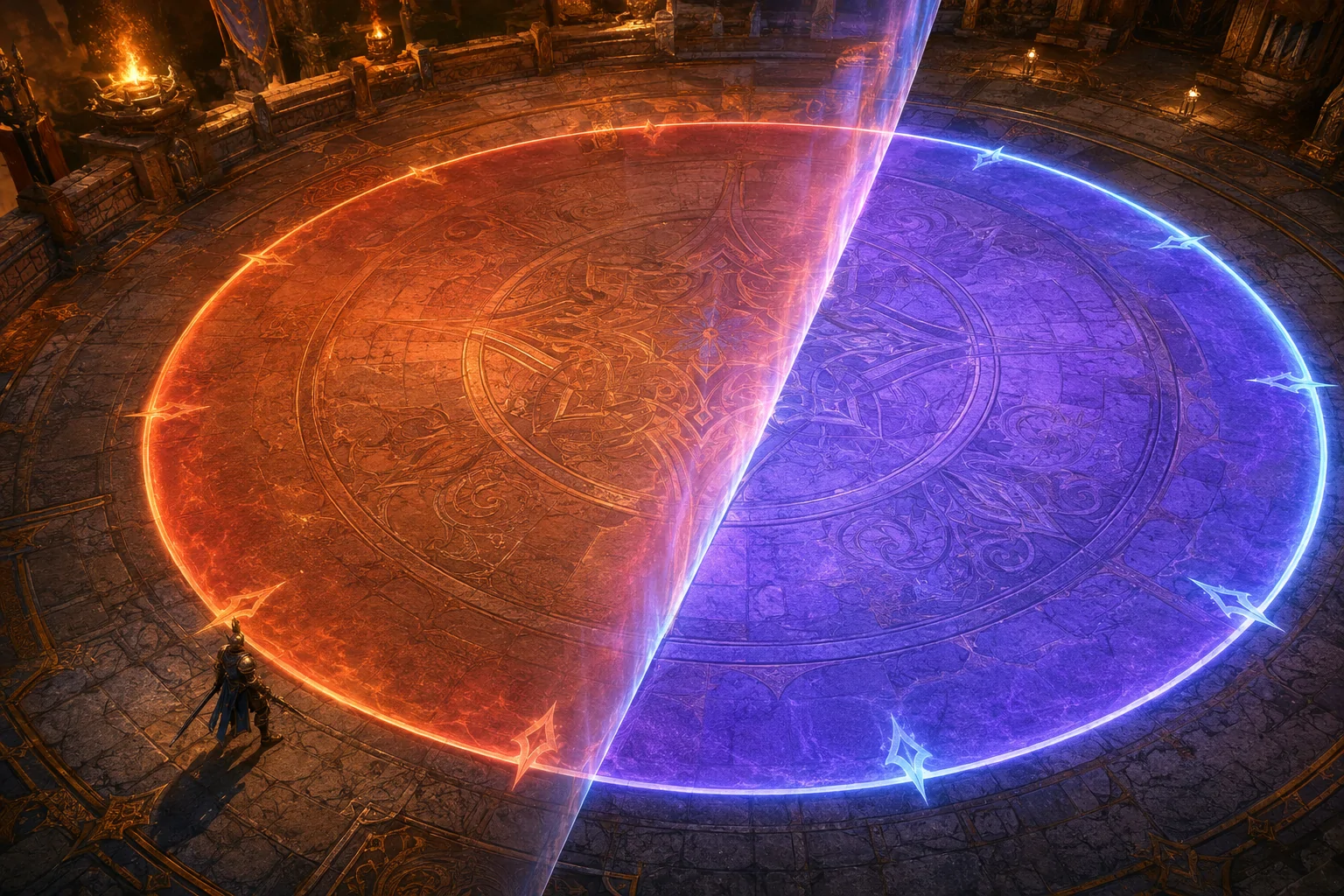
Final Fantasy XIV Online frequently marks dangerous areas with shapes projected onto the ground. Circles, cones, lines, rings, and other area-of-effect indicators—commonly shortened to AoEs—tell players where an attack is expected to land. Recognising the shape and moving outside it before the attack resolves is a central part of the game’s combat.
These indicators are often displayed in warm orange or reddish tones. Depending on the arena, lighting, spell effects, and a player’s colour perception, the warning may not remain sufficiently distinct from the environment. GoodOmen is a community-created accessibility plugin that allows the player to apply a different tint to supported ground AoE markers.
The plugin does not change encounter mechanics or move the character automatically. It changes the visual presentation of selected warning areas so their boundaries may be easier to identify. Its current configuration supports a global colour as well as saved colour settings associated with individual duties.
Why ground indicators can become difficult to distinguish
A ground indicator must be recognised quickly enough for the player to respond. That process includes detecting that an indicator has appeared, separating it from the arena floor, interpreting its shape, determining whether the character is inside it, and moving to an appropriate position before the attack resolves.
Colour can help separate the indicator from its surroundings, but that distinction depends on the relationship between the chosen colour and the environment. An orange warning may be highly visible on cool blue stone yet substantially less distinct on an arena filled with fire, lava, warm lighting, reddish terrain, or overlapping orange spell effects.
Players with colour vision deficiencies may not perceive the intended contrast between an indicator and its background. Low vision, migraine, visual fatigue, glare, reduced contrast sensitivity, or visual-processing differences may also affect how quickly a warning can be isolated within a busy combat scene.
The problem is not necessarily that the indicator is completely invisible. A marker can technically remain visible while requiring more effort or more time to identify. In an encounter where positioning decisions must be made quickly, a small delay may be enough to affect whether the player reaches safety.
GoodOmen adds a tint rather than replacing the mechanic
The GoodOmen developer describes the project as an accessibility plugin that applies a tint to ground AoE markers. The player selects a colour intended to create better separation from the environment, and the plugin modifies the appearance of supported indicators during play.
This is recolouring rather than removal. The warning’s underlying geometry continues to represent the attack area. A circle remains a circle, and the displayed boundary remains connected to the mechanic created by the encounter. The selected tint changes how the warning is perceived, not where the attack lands.
GoodOmen also does not add an automatic safe path. It does not identify the best destination, rotate the camera, issue movement inputs, or move the character outside the danger area. The player must still recognise the indicator’s shape, understand which side is hazardous, and respond before the attack resolves.
This distinction matters because a more visible warning does not reduce the movement or timing required to avoid it. GoodOmen may improve access to the information used for the decision, but it does not perform the resulting action.
Global colour and duty-specific configurations
GoodOmen’s current configuration includes a global-colour option. When used, this provides a consistent selected tint rather than requiring the player to configure every duty individually. Consistency may reduce adjustment demands for someone who has already found a colour that is usually easy to recognise.
No single colour will create strong contrast in every environment. A bright cyan may stand out clearly in a warm, fire-lit arena but become less distinct against ice, water, or blue magical effects. A violet tint may work in one encounter and blend into another.
To address this variability, the plugin’s configuration also stores colours by duty. A player can use a colour suited to the visual conditions of a particular dungeon, trial, raid, or other supported instance instead of assuming that one global tint will work everywhere.
Duty-specific colours may be useful when returning to an encounter repeatedly. Once a suitable contrast has been found, the saved configuration can reduce the need to adjust the colour during every visit. It also acknowledges that accessibility contrast is relational: visibility depends on the indicator, background, lighting, and surrounding effects rather than the warning colour in isolation.
This flexibility introduces additional setup. A player may need to enter an encounter, observe the result, open the plugin settings, test alternatives, and save a suitable colour. Someone who needs immediate access without trial and error may find that process burdensome, particularly across a large number of duties.
Recolouring is different from a colourblind filter
A full-screen colourblind filter changes a broad portion of the rendered image. Depending on its implementation, it may alter interface colours, environments, characters, effects, and cinematics simultaneously. That can improve some distinctions while making other parts of the image less natural or less legible.
GoodOmen takes a more targeted approach. It applies colour modification to supported ground-attack markers rather than recolouring the entire game. This can preserve the rest of the visual presentation while changing the element that is creating the specific barrier.
The plugin is also different from a colourblind preset that offers only named profiles such as protanopia, deuteranopia, or tritanopia. A selectable tint lets the player choose based on personal perception and the current arena rather than assuming everyone within a diagnostic category needs the same replacement colour.
However, targeted recolouring cannot address every colour-dependent element in Final Fantasy XIV. Party-list information, status icons, map markers, job gauges, object effects, tether colours, enemy models, and encounter-specific visual cues may remain unchanged. GoodOmen is focused on supported ground AoE indicators.
It is not a high-contrast display mode
A comprehensive high-contrast mode may suppress environmental detail while assigning distinct colours to enemies, allies, interactive objects, or hazards. GoodOmen does not restructure the entire combat image in this way.
The arena remains visually detailed. Other players’ effects, enemy animations, weather, lighting, floor patterns, and environmental particles can still compete for attention. The plugin changes a selected warning layer but does not remove surrounding visual clutter.
This means a bright tint may help the indicator stand apart while the overall encounter remains visually dense. Players who have difficulty tracking the character, boss, party members, or multiple simultaneous effects may still encounter substantial barriers.
The game’s built-in settings for party effects and related visual presentation may be useful alongside GoodOmen. Reducing unnecessary effects can decrease competition around a recoloured warning. Display brightness, monitor contrast, interface scaling, camera distance, and colour settings may also affect the practical result.
Choosing a brighter colour can create sensory costs
Greater visibility is not always produced by maximum brightness. A highly luminous cyan, magenta, or white indicator may be easier to detect but more visually intense. Large AoEs can occupy much of the screen, and repeated bright fields may contribute to discomfort, fatigue, or migraine for some players.
Colour selection therefore involves more than choosing the most saturated option. A player may need to balance contrast against glare, brightness sensitivity, visual persistence, and the intensity of other effects in the encounter.
The plugin does not claim to reduce flashing, rapid brightness changes, or photosensitive seizure risks. Recolouring an effect does not necessarily change its animation frequency, opacity transitions, or timing. A different tint should not be treated as a substitute for a verified flashing-effects control.
Players may also respond differently to large areas of cool or saturated colour. An option that improves detection for one person may be uncomfortable or less visible for another. GoodOmen’s value lies in allowing individual colour selection, not in identifying one universally accessible palette.
Indicator visibility does not remove timing or movement demands
Once an AoE becomes easier to see, the player must still interpret and avoid it. Some attacks resolve quickly, require precise positioning, overlap with other hazards, or demand coordinated movement with other party members.
GoodOmen does not extend the warning duration. It does not slow combat, increase the time before an attack resolves, or preserve an indicator after it disappears. If a player can see the warning but cannot move quickly enough, recolouring alone will not remove that barrier.
The plugin also does not change movement controls, reduce simultaneous-input demands, or provide alternative input support. Motor access and visual access remain separate concerns even when both affect the same mechanic.
Likewise, the plugin does not explain whether a marked area is dangerous, beneficial, shared by the party, or intended for a particular role. Players still need encounter knowledge and must interpret the indicator in context.
Not every attack uses the same kind of marker
Final Fantasy XIV communicates mechanics through many visual forms. Some attacks use conventional ground telegraphs. Others rely on enemy animations, cast-bar names, icons above characters, tethers, arena changes, debuffs, directional effects, or patterns that must be learned from previous attempts.
GoodOmen’s stated function is to tint ground AoE markers. It should not be assumed to recolour every hazardous visual or every encounter-specific effect. If an attack provides no supported ground marker, the plugin may have nothing to modify.
Coverage may also vary as the game receives patches and new content. The creator describes GoodOmen as an early implementation that will be refined in later versions. A marker that works in one duty does not prove that all markers in all content will be handled identically.
Players should therefore test the plugin in the duties they intend to play and avoid relying on it as the sole indication that an attack is safe or dangerous.
Installation depends on XIVLauncher and Dalamud
GoodOmen is not installed through Final Fantasy XIV itself. It is a Dalamud plugin distributed through a custom plugin repository and requires XIVLauncher. After adding the repository address to Dalamud’s Custom Plugin Repositories, the plugin can be installed and its settings opened with the /goodomen command.
The developer warns against manually installing files from the GitHub release page and directs players to follow the repository installation instructions. This matters because the downloadable release assets are not presented as the supported installation route.
XIVLauncher and Dalamud are primarily PC tools. GoodOmen is not available through the official PlayStation or Xbox versions of Final Fantasy XIV. XIVLauncher also documents Windows and Linux routes, but individual plugin operation, game updates, compatibility layers, and launcher versions can affect whether a particular setup works.
Major Final Fantasy XIV updates can temporarily break Dalamud or plugins until compatibility updates are released. GoodOmen’s June 2026 release history shows updates made for newer Dalamud API levels, but future compatibility cannot be guaranteed.
The terms-of-service limitation is significant
GoodOmen is a third-party accessibility plugin, not an official Square Enix feature. Square Enix’s published rules identify the use of third-party tools as prohibited. XIVLauncher’s own documentation also states that it is not compliant with the game’s terms of service and acknowledges that use may carry account consequences.
GoodOmen’s accessibility purpose does not create an official exception to that policy. The plugin does not appear to automate movement or complete mechanics, but Square Enix’s stated restriction is broader than tools that provide an unfair gameplay advantage.
Players must decide whether the visual-access benefit justifies installing an unsupported launcher and accepting that policy risk. This is a substantial difference between a built-in recolouring option and a community-created solution. It also demonstrates a broader limitation of accessibility mods for online games: a useful accommodation may depend on software that the game’s operator does not authorize.
A focused adjustment with narrow practical boundaries
The creator’s official GoodOmen repository describes the plugin as a way to tint ground AoE markers for improved visibility, particularly for colourblind players. Its configuration provides global and duty-specific colour handling, allowing the selected contrast to change with the environment.
GoodOmen does not remove attacks, reveal unmarked mechanics, create safe routes, automate movement, extend reaction time, or provide a complete high-contrast mode. Its benefit depends on whether a particular marker is supported, whether the selected tint remains distinguishable in that arena, and whether the player can use XIVLauncher and Dalamud.
Access needs vary, and recolouring may substantially improve hazard recognition for some players while doing little for others. GoodOmen offers a focused visual adjustment, but its coverage, sensory trade-offs, PC dependency, update compatibility, and conflict with Square Enix’s third-party-tool policy remain meaningful practical limits.