
Visual and auditory triggers related to spiders can create significant distress for players. To help manage these triggers without modifying game files, several modern titles include built-in settings that alter or simplify spider-like enemy models and sound effects.
Access needs and preferences vary among individual players, so customizable toggles and sliders allow players to decide how much visual or audio detail to adjust.
Grounded
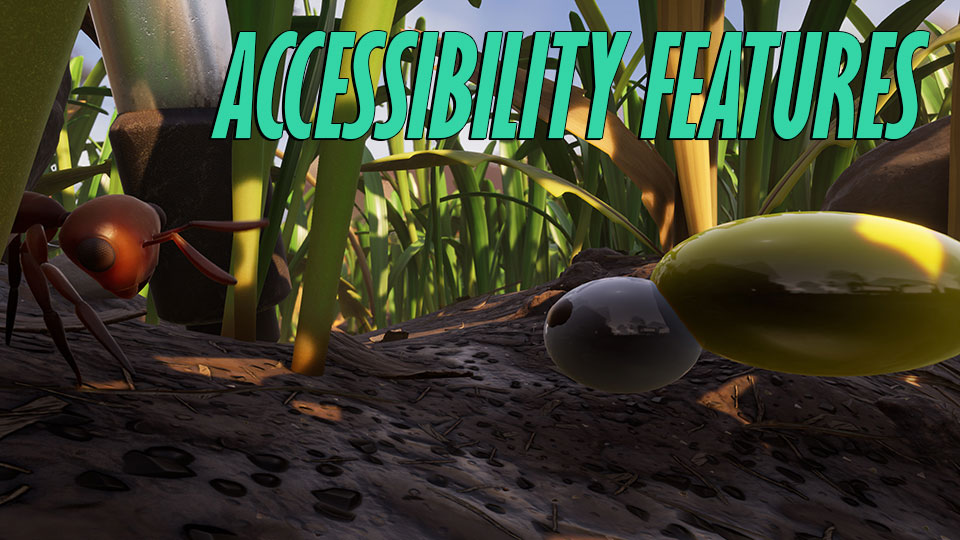
Grounded features a multi-tier Arachnophobia Safe Mode slider within its accessibility menu.
This built-in setting allows players to adjust spider models across five distinct visual levels. At Level 1, the setting reduces the number of spider legs. Higher levels progressively remove fangs, adjust body textures, and replace full spider meshes with simplified floating geometric shapes.
- Type: Built-in feature
- Supported platforms: PC (Steam, Microsoft Store), Xbox One, Xbox Series X/S, PlayStation 4, PlayStation 5, Nintendo Switch
- Requirements: Base game updated to current version
- Limitations: Adjusting spider visuals changes model appearance and vocalizations but leaves enemy hitboxes, health pools, movement speed, and attack damage completely unchanged.
- Location: Settings > Accessibility > Arachnophobia Safe Mode
Official feature documentation is available on the Grounded Accessibility Guide.
Star Wars Jedi: Survivor
Star Wars Jedi: Survivor provides a dedicated Arachnophobia Safe Mode toggle in its accessibility options.
When turned on, this built-in feature alters the visual appearance of spider-like creatures, such as the Wyyyschokk on Kashyyyk and Hardshell enemies on Koboh. The setting modifies their body structures and textures to reduce arachnid features during combat and exploration.
- Type: Built-in feature
- Supported platforms: PC (Steam, EA App), PlayStation 5, Xbox Series X/S
- Requirements: Current patch installation
- Limitations: The setting alters creature models but does not skip creature encounters, change combat mechanics, or alter ambient cobweb environmental decorations.
- Location: Settings > Accessibility > Gameplay > Arachnophobia Safe Mode
Details are published in the Star Wars Jedi: Survivor Accessibility Guide.
Call of Duty: Black Ops 6
Call of Duty: Black Ops 6 includes an Arachnophobia Toggle designed for its Zombies game mode.
This built-in toggle alters the appearance of spider-like enemy variants in Zombies mode. Enabling the option replaces spider-style creature models with alternative, non-arachnid shapes to remove leg movement and spider visual triggers.
- Type: Built-in feature
- Supported platforms: PC, PlayStation 4, PlayStation 5, Xbox One, Xbox Series X/S
- Requirements: Base game updated to current online version
- Limitations: The setting applies specifically to spider-like enemy models in Zombies and does not alter non-arachnid enemy types or multiplayer map decorations.
- Location: Settings > Accessibility > Graphics or Gameplay > Arachnophobia Toggle
Configuration guidance is available via the Call of Duty: Black Ops 6 Accessibility Overview.
Hogwarts Legacy
Hogwarts Legacy offers an Arachnophobia Mode toggle added in an official game update.
Enabling this built-in setting transforms all wild and boss spider enemies into simplified creature models with roller skates on their feet, referencing a familiar spell from the lore. It also removes spider skittering audio, mutes screeching sound effects, and removes small ground-clutter spider ambient effects.
- Type: Built-in feature
- Supported platforms: PC, PlayStation 4, PlayStation 5, Xbox One, Xbox Series X/S, Nintendo Switch
- Requirements: Official game patch from May 2023 or later
- Limitations: The setting changes active enemy appearances and sound effects but does not alter static spider imagery displayed in Field Guide icon menus or quest story cutscenes.
- Location: Settings > Accessibility Options > Arachnophobia Mode
Official details are hosted on the Hogwarts Legacy Accessibility Features Page.
Last verified: July 31, 2026
Archive check: No substantially overlapping article was found in the GamingAccessibility.org article archive.