
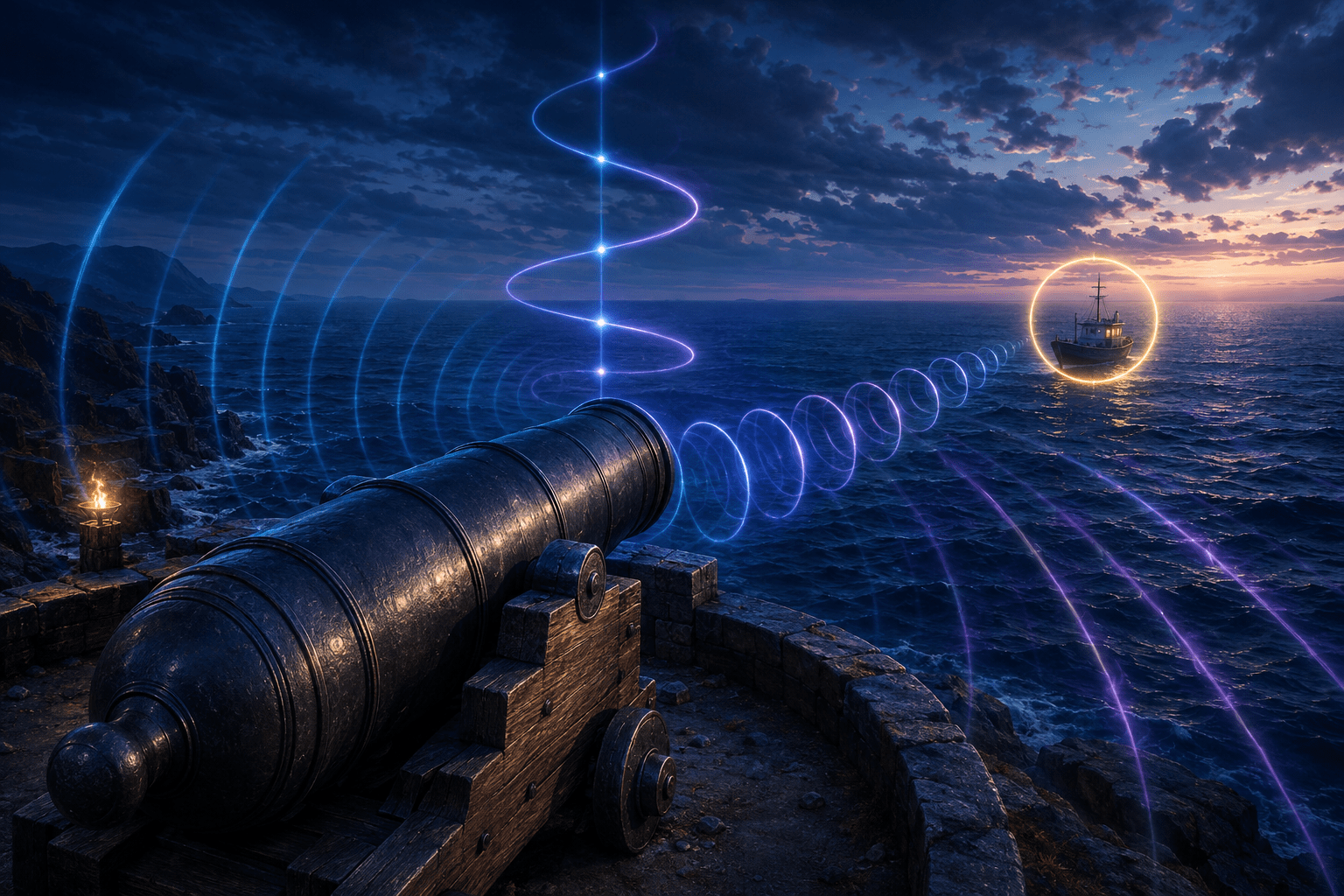
Aiming in a first-person game is normally presented as a visual alignment task. The player moves a weapon or cannon until its centre points toward a visible enemy, estimates whether the aim is high or low, and decides when the target has been acquired.
Sea of Thieves includes an option called Aim Assist Audio that translates parts of this alignment into sound. A clicking cue becomes faster as the player’s aim moves closer to a target. Stereo panning indicates whether the player should rotate left or right. Changes in pitch indicate whether the aim should move vertically. A separate lock-on sound plays when the aim is positioned over the target.
The system can be used with projectile weapons while aiming down their sights and while operating a cannon. It is intended to help blind and low-vision players aim at other players and computer-controlled targets.
Aim Assist Audio does not move the weapon automatically, snap the aim onto an enemy, calculate cannon trajectory, or reveal players who are hidden or obscured. It provides directional feedback about a target the system can currently use while leaving the aiming movement and firing decision to the player.
The Clicking Cue Communicates Proximity
When the player is aiming close to a target, Aim Assist Audio begins producing a clicking sound. The closer the aim moves toward the target, the faster the clicking becomes.
This creates an auditory approximation of visual proximity. A slow click indicates that the player is within the feature’s target-guidance area but is not yet accurately aligned. As the interval between clicks becomes shorter, the player knows that the aim is moving closer.
The changing rate provides more information than a simple on-or-off warning. A single alert could tell the player that a target is nearby, but it would not indicate whether a movement improved or worsened the alignment. The variable clicking allows the player to compare the result of successive adjustments.
If the clicks accelerate after moving the weapon, that movement has brought the aim closer. If they slow down, the aim has moved farther away. The player can use that feedback iteratively, making smaller corrections as the click rate increases.
Rare has compared the design influence to a Geiger counter. The cue does not need to verbally describe a distance or direction. Its repetition rate changes continuously enough to guide the player toward the correct point.
The clicking itself does not explain whether the error is horizontal or vertical. Those dimensions are communicated through the sound’s stereo position and pitch.
Stereo Panning Guides Horizontal Movement
Aim Assist Audio pans its guidance sound left or right to indicate which horizontal direction the player should turn. If the target lies to the left of the current aim, the cue can direct attention toward the left audio channel. As the player rotates toward the target, the sound moves toward alignment.
This is different from merely placing the target’s existing sound in the game world. The feature produces a dedicated aiming cue connected to the correction the player should make.
Stereo panning can reduce the need to visually compare the weapon’s centre with the target’s horizontal position. The player listens for the side on which the cue is presented and rotates accordingly.
The usefulness of panning depends on the player’s ability to distinguish left and right audio. A player with unequal hearing, single-sided hearing, mono output, or difficulty localizing stereo sound may not receive the same horizontal information.
Headphones may make left-right separation easier for some players, while speakers may work adequately when they are positioned consistently. Rare’s support documentation describes the panning behaviour but does not require one specific audio device.
The player still performs the rotation. Aim Assist Audio does not steer the camera or weapon toward the sound automatically.
Pitch Guides Vertical Movement
Horizontal panning cannot communicate whether the aim is above or below the target. Aim Assist Audio uses changes in pitch for the vertical dimension.
The sound rises or falls to indicate whether the player should move the aim upward or downward. This gives elevation its own auditory property rather than trying to represent both axes through left-right audio placement.
Separating the axes can make the signal easier to interpret. Stereo position answers the horizontal question, while pitch answers the vertical one. The clicking rate indicates how close the overall alignment is.
A player can therefore correct one dimension at a time. They might first follow the panning until the sound is horizontally centred, then adjust elevation according to pitch while monitoring the click rate.
Pitch perception also varies. Hearing differences, tinnitus, auditory processing differences, background noise, or the game’s broader soundscape may make small changes difficult to distinguish. The feature provides an auditory representation, but that representation is not equally accessible to every blind or low-vision player.
Aim Assist Audio is not a vibration-based or spoken aiming system. Players who cannot use its pitch and stereo cues are not given the same information through another sensory channel by this setting alone.
The Lock-On Sound Confirms Alignment
When the player’s aim is directly over a supported target, a distinct lock-on sound plays. This confirms that the alignment process has reached the target.
The cue can prevent the player from having to infer exact alignment solely from a very rapid click rate. Clicking provides gradual feedback during movement; the lock sound marks the final state.
“Lock-on” describes the audio confirmation rather than a mechanical attachment between the weapon and target. The weapon does not begin tracking the enemy automatically, and the player’s aim can move away again.
The cue also does not guarantee that a fired projectile will hit. A moving target may change position between alignment and firing. The projectile may have travel time, and a cannonball follows an arc that the system does not calculate.
The player must decide when to shoot, account for target movement, and maintain or adjust the aim after the lock cue.
Audio Guidance Versus Automatic Aim Assist
The term “aim assist” is used in several different ways across games. Conventional controller aim assist may slow the reticle near a target, pull the aim toward an enemy, or help the player remain aligned while the target moves.
Aim Assist Audio provides information rather than physical aiming correction. It tells the player how the current aim relates to a target through sound. It does not move the camera or weapon.
This distinction preserves direct control. The player performs every horizontal and vertical adjustment while the feature reports whether those adjustments are moving toward alignment.
It also means the setting does not remove the motor demands of aiming. A player must still operate the stick, mouse, controller, adaptive input, or other device accurately enough to respond to the cues.
Someone who can interpret the sounds but cannot perform sufficiently precise movements may need to combine the feature with sensitivity adjustments, remapping, alternative hardware, or another motor-access configuration.
When Aim Assist Audio Is Active
The feature is not continuously searching the environment during ordinary movement. Rare states that it activates when the player aims down the sights of a projectile weapon or operates a cannon.
This limits the amount of additional audio produced during general exploration. The clicking and directional cues appear in the context where the player has indicated an intention to aim.
It also prevents the setting from functioning as a general enemy-location detector. Walking through an island, ship, or outpost without aiming does not produce a continuous list of nearby targets.
The requirement to aim down sights can retain an input barrier. If aiming requires a sustained button hold under the player’s current configuration, they may need a toggle option, remapping, or adaptive control arrangement to maintain the aiming state while making directional corrections.
Cannon use creates a different control context. The player must mount the cannon and operate its horizontal and vertical movement. Aim Assist Audio can guide alignment with a target, but the cannon’s firing mechanics remain in place.
It Cannot Reveal Hidden or Obscured Players
Rare states that Aim Assist Audio cannot be used to find tucked or obscured players. “Tucking” refers to hiding a player character within a ship or environment in a way that makes them difficult to notice.
This restriction prevents the audio cue from becoming a sensor for targets that a sighted player could not currently identify through the visible scene. The feature is intended to communicate available aiming information, not expose concealed opponents.
A player cannot sweep a weapon around the environment and rely on Aim Assist Audio to locate someone hidden behind an obstacle or concealed from view. The system’s target guidance has a visibility boundary.
This is a meaningful limitation for blind players. Visual target visibility can depend on line of sight, environmental obstruction, distance, lighting, and whether the target is exposed. Aim Assist Audio does not independently explain why a target has disappeared or whether an obstacle is blocking it.
If an enemy moves behind cover, the guidance may no longer be available even though the player knows the enemy remains nearby. Other audio, communication, or teammate information may still be needed to understand the encounter.
Cannon Aiming Still Requires Trajectory Estimation
A cannonball does not travel in a perfectly straight line. It follows an arc and drops over distance. A target can be correctly aligned with the cannon’s immediate direction while still requiring the barrel to be raised above it.
Aim Assist Audio does not calculate this trajectory. Rare specifically warns that players must aim higher when firing a cannon over distance.
This creates a distinction between target alignment and projectile interception. The audio system can guide the cannon toward the target’s horizontal and vertical location, but it does not determine the elevation required for the cannonball to reach that point after travelling through the air.
It also does not calculate lead for a moving ship. Both the firing vessel and the target may be moving, turning, rising, and falling with the waves. A shot may need to be placed ahead of the target rather than directly on it.
The lock-on sound therefore should not be interpreted as a guaranteed firing solution. It confirms that the cannon is over the target according to the aiming system, not that the predicted projectile path will intersect with it.
Players may need to learn elevation and lead through practice, remembered adjustments, teammate communication, or feedback from previous shots. Aim Assist Audio makes one part of cannon aiming accessible while leaving the game’s ballistic demands intact.
Visible Targeting Without a Competitive Information Advantage
Rare states that Aim Assist Audio does not provide an advantage to sighted players. This claim is connected to the feature’s information boundaries: it does not reveal hidden targets and does not solve projectile trajectory.
The cues translate target alignment that is already visually available rather than introducing information that other players could not obtain. A sighted player can see whether a weapon is moving toward an exposed target; Aim Assist Audio represents that relationship through sound.
This approach allows the setting to remain available in a shared multiplayer world without functioning as an enemy-detection tool. Its purpose is sensory translation rather than expanded awareness.
That does not mean the feature makes combat equal in every respect. A blind player may still need access to movement, weapon selection, ammunition information, environmental navigation, damage direction, health, ship systems, and other visual information surrounding the aiming task.
Aim Assist Audio addresses a specific barrier within a much larger combat system.
Potential Auditory and Sensory Costs
The feature adds repeated clicking, stereo movement, pitch changes, and a lock sound to an already active audio environment. Sea of Thieves can include waves, wind, ship creaking, cannon fire, weapons, enemies, music, voice communication, and other players.
For some players, the structured cue may make this environment more interpretable. For others, repeated clicking or shifting pitch may be distracting, uncomfortable, or difficult to separate from surrounding sounds.
A player using voice chat may need to process aiming cues and teammate communication simultaneously. Cannon battles can produce especially loud and dense audio that competes with subtle directional information.
The support documentation does not describe Aim Assist Audio as filtering or reducing the rest of the soundscape. Players may need to experiment with the game’s broader volume settings and their audio equipment to establish a usable balance.
Reducing other sounds can make the aiming cue easier to hear, but it may also remove information needed for navigation, approaching enemies, ship damage, or team coordination. The most useful audio mix will depend on which cues the player relies upon.
Combining It With Other Accessibility Features
Aim Assist Audio can be one part of a broader blind or low-vision configuration. Sea of Thieves supports the “Let Games Read to Me” system for selected narrated interface and text content. Rare has also added narration for text shown on Riddle Maps.
Narration and audio aiming solve different problems. A screen reader can communicate written interface information, while Aim Assist Audio helps align a weapon or cannon with a target.
Control remapping or adaptive hardware may help the player perform the directional movements indicated by the cue. Toggle-style inputs may reduce the demand of holding a control while simultaneously aiming.
Teammate communication can supplement information the feature does not provide, such as the location of an obscured enemy, the movement of another ship, recommended cannon elevation, or whether a target has moved behind cover.
None of these combinations guarantees independent access to every activity. Sailing, repairing, navigating islands, locating objects, managing resources, and responding to unexpected events retain their own accessibility requirements.
Platforms and Current Availability
Sea of Thieves is currently available on Xbox Series X|S, PlayStation 5, and Windows PC through supported storefronts including Steam and Battle.net. Aim Assist Audio is a built-in game option found under Audio Settings.
Because it is part of the game rather than a third-party modification, it can operate within the supported shared-world environment subject to the target and aiming restrictions described by Rare.
The feature was developed through feedback from blind and partially sighted players. Rare has continued updating its accessibility documentation, with the official Aim Assist Audio guide most recently updated in February 2026.
Auditory Alignment, Not Automatic Accuracy
Rare’s official Aim Assist Audio support guide explains the four signals and the boundaries of the system.
The feature can represent target alignment through progressively faster clicking, left-right panning, vertical pitch changes, and a final lock-on sound. This may allow blind and low-vision players to perform part of a traditionally visual aiming task with guns and cannons.
It does not steer the weapon, reveal hidden players, calculate cannon drop, predict moving targets, or guarantee a hit. Access needs vary, and its reliance on stereo position, pitch, and repeated sound may not work for every player. Its practical contribution is precise but limited: converting the relationship between the current aim and a visible target into directional audio while leaving the player responsible for correction, timing, and projectile behaviour.