
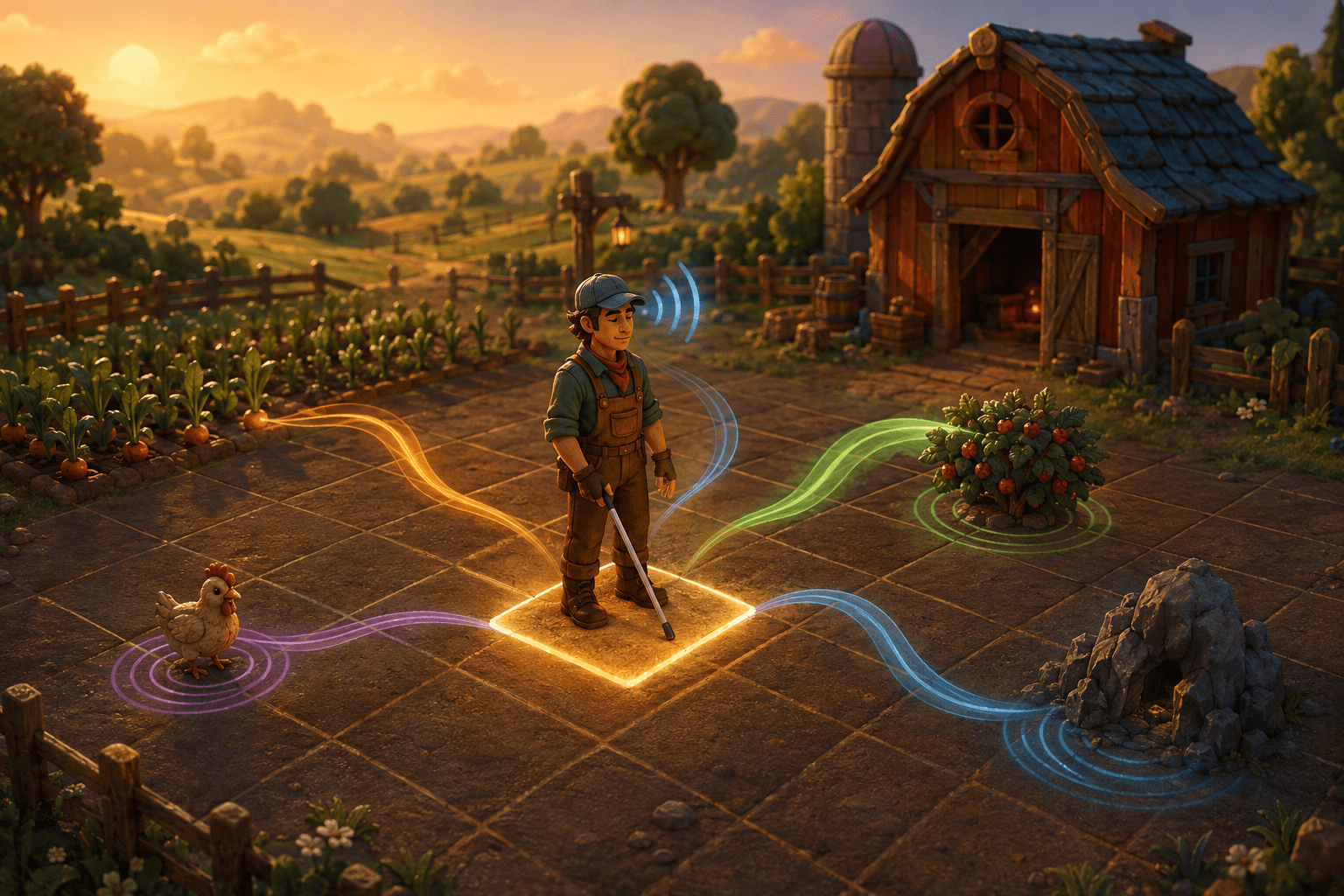
Stardew Valley presents much of its world visually. Players identify crops by their appearance, select inventory items from graphical menus, follow paths between locations, position themselves beside objects, and inspect individual squares of ground before planting or building. Character dialogue may be written on screen, while information such as health, energy, money, time, and the contents of containers is distributed across different parts of the interface.
These systems create barriers that cannot be resolved by reading dialogue alone. A screen reader needs access to the game’s internal information, but the player also needs a method for understanding spatial relationships: what is directly ahead, where a doorway is located, how far away an animal is, and which tile will receive an action.
Stardew Access is an open-source third-party mod designed primarily to make Stardew Valley accessible to blind screen-reader users. It adds narration for game information and combines it with a Tile Reader, movable Tile Viewer, Object Tracker, grid-based movement, keyboard commands, and mouse-button simulation. These systems provide several connected ways to inspect and interact with the farm without depending entirely on the game’s visual presentation.
The mod is more extensive than a conventional interface-reading add-on, but it is not a built-in accessibility mode and does not automatically make every part of the game or every other mod accessible. Installation, screen-reader configuration, game updates, content coverage, and compatibility remain important practical considerations.
Screen-reader narration is only one part of the system
Stardew Access connects Stardew Valley to the player’s active screen-reading software. Its documentation describes support for narration on Windows, Linux, and macOS, using different speech-access libraries on each operating system. The mod can narrate menus, inventories, shops, dialogue, containers, tiles, and other information generated by the game.
Some information is spoken automatically as the player encounters it. Other details can be requested with dedicated commands. These include the current map and coordinates, health and energy, money, time, date, and season. The mod also provides warnings for situations such as low health, low energy, a full inventory, or remaining out very late.
This approach differs from simply applying optical character recognition to the screen. Stardew Access obtains information from the game and its modding interfaces, allowing it to describe objects and states that may not appear as ordinary readable text. That can produce more useful information than attempting to recognize pixels after they have already been drawn.
Narration alone would still leave a major problem. Farming, mining, construction, object placement, and movement depend on a two-dimensional grid. Knowing that a crop or doorway exists is not the same as knowing where it is in relation to the player. Stardew Access therefore builds its nonvisual access around tiles and coordinates as well as spoken interface text.
The Tile Reader identifies the space immediately ahead
The Tile Reader forms a central part of Stardew Access. It reads information about the tile the farmer is facing. Depending on the location and object, this can identify features such as doors, crops, buildings, animals, farmers, machines, and other relevant parts of the environment.
This creates a direct relationship between orientation and narration. Instead of moving until an action happens to connect with something, the player can inspect the space that would receive the action. That distinction is important when planting seeds, watering crops, using tools, loading machines, or interacting with a doorway.
The player can also request information about the tile on which the farmer is standing. Separate commands are provided for the current map, the farmer’s coordinates, the occupied tile, and the facing tile. Together, these commands can help establish position and direction without requiring continuous unsolicited narration.
Providing information on request may reduce unnecessary speech. A player can ask for health, time, coordinates, or tile information when it becomes relevant instead of having every value repeated continuously. However, this introduces a memory and input requirement: the player must learn which command retrieves each type of information.
The Tile Viewer allows remote inspection
The Tile Viewer extends the Tile Reader beyond the square immediately in front of the farmer. It provides a movable tile cursor that can travel around the active map while the farmer remains in place. As the cursor moves, Stardew Access reads information associated with the selected tiles.
This allows a player to examine the layout of an area before physically navigating through it. The viewer can be used to explore, select placement locations, inspect objects, and add or remove items from machines. The player can move the tile cursor one tile at a time with the arrow keys or use modified commands for finer pixel-level movement where necessary.
A selected tile can also become a navigation target. The mod includes a command that moves the farmer toward the focused tile. This is assistance rather than automatic completion of the underlying activity. It can handle part of the route to a selected location, but it does not decide which crop to plant, determine how the farm should be organized, select a profitable activity, or complete an entire objective without player decisions.
The Tile Info Menu offers additional information and allows the player to mark coordinates or add custom tile data. User-defined entries can help identify content that the base mod does not already recognize, including some objects introduced by other mods. This extensibility is useful, but it should not be mistaken for universal compatibility. Modded maps, events, machines, and interfaces may still require individual support or custom data.
The Object Tracker turns a map into browsable categories
The Object Tracker provides another way to understand an area. Rather than moving a cursor across every tile, the player can browse lists of objects detected on the current map. The tracker organizes objects into categories and can sort them by proximity or alphabetically.
Tracked objects can include doorways, forage items, animals, monsters, and other location-specific features. The player can request the selected object’s coordinates, distance, and tile location. A separate command can begin automatic travel toward the selected object.
This is more than a spoken list, because it connects identification with spatial information and optional movement. If a player needs to locate the nearest doorway, animal, forage item, or mine object, the tracker can reduce the need to search the entire map one tile at a time.
Object tracking is still not the same as complete route automation. The player selects the category and target, decides whether to travel, and can cancel movement. The system does not independently create a daily plan or determine which destination should take priority. Its effectiveness also depends on whether the desired object is recognized and whether the current environment permits a usable path.
Stardew Access allows frequently used locations to be saved as Object Tracker favorites. The documentation describes ten favorite slots in each stack and effectively unlimited stacks for each map. These saved destinations may reduce repeated searching and provide stable reference points for places such as entrances, work areas, or personally organized sections of a farm.
Grid Movement supports precise farming actions
Standard movement in Stardew Valley is continuous rather than inherently limited to one complete tile per input. That flexibility works visually, but it can make nonvisual alignment difficult. A player may know that an object is nearby without being positioned precisely enough to interact with it.
When Grid Movement is enabled, the farmer moves one tile at a time and the mod plays a footstep sound for each movement. This turns movement into a more countable and predictable process. It may support planting, harvesting, cleaning up the farm, aligning with machines, and other activities where exact tile position matters.
Grid Movement can be toggled, and a command allows it to be temporarily disabled while a key is held. This distinction matters because snapping to a grid may improve precision in one situation while feeling restrictive in another. Players can use it for organized farm work and return to freer movement when exact alignment is less important.
The feature can also reduce some fine positioning demands for players who are not blind. A player who finds analog positioning difficult may benefit from discrete steps, although Stardew Access is designed around screen-reader and keyboard use rather than presented as a general motor-accessibility package.
The mod’s documentation notes that movement speed may need adjustment if the farmer moves more than one step or travels faster than expected. Grid Movement therefore simplifies the unit of movement, but it may still require configuration rather than working identically in every installation.
Keyboard support replaces mouse-dependent interactions
Stardew Access includes keyboard commands that simulate primary and secondary mouse clicks. Its default bindings use combinations such as Control and Enter or Shift and Enter, with additional alternatives available. Most keybindings can be changed through the mod’s configuration.
Keyboard access is essential because narrating a graphical menu does not help if the player must still locate a small visual target with a mouse. Simulated clicks, menu-specific commands, inventory navigation, and Tile Viewer controls create an interaction method that can be used without conventional pointer positioning.
This is different from full input remapping built into the game. Stardew Access adds its own commands and mouse simulations through a third-party mod. Players must learn the mod’s command structure, and some combinations may conflict with other software or mods. Reconfiguring bindings can address some conflicts, but customization itself requires locating and safely editing the generated configuration file.
What Stardew Access does not automate
Several Stardew Access features can reduce navigation and alignment work, but they do not transform Stardew Valley into an automatically completed experience. Narration communicates information. The Tile Viewer allows inspection. The Object Tracker organizes destinations. Grid Movement makes steps more predictable. Auto-travel moves toward a player-selected object or tile.
The player remains responsible for choosing activities, managing time and energy, selecting inventory items, deciding where to build, responding to dialogue, planning crops, and carrying out the many connected tasks that define the game. Auto-travel is therefore best understood as route assistance within a larger player-directed system.
This distinction also helps explain why multiple tools are necessary. Automatic travel to a crop does not identify its growth state unless the crop is properly described. Reading a shop menu does not position the farmer at the shop entrance. Grid movement does not explain which adjacent tile contains a machine. The features address different stages of perception, navigation, positioning, and interaction.
Installation and platform limitations
Stardew Access is available for computer versions of Stardew Valley on Windows, Linux, and macOS. It does not support console or mobile versions. A player must own a compatible computer copy and run the game through the SMAPI mod loader.
The official setup documentation lists SMAPI, Kokoro, and Project Fluent among the requirements for manual installation. The project also provides an Accessible Stardew Setup installer intended to install the minimum required components more easily. Storefront and operating-system differences can still affect installation paths and launch procedures.
This setup burden is itself an accessibility consideration. Installing a mod loader, placing dependencies in the correct directories, configuring a game launcher, and resolving version conflicts can require technical assistance. Updates to Stardew Valley, SMAPI, dependencies, or Stardew Access may temporarily affect compatibility.
The mod’s screen-reader output may also be affected by the reader’s own settings. Its documentation warns that narration can be interrupted depending on screen-reader configuration and gives specific configuration guidance for NVDA. This means that an installed and otherwise functioning mod may still require changes outside the game before speech behaves reliably.
Coverage and compatibility remain incomplete
Stardew Access provides substantial access to a large game, but its own documentation identifies limitations. Unfocusing the game window without pausing can temporarily stop the Tile Viewer from working when the player returns. The Tile Info Menu has restrictions, festival detection is not complete, and some detailed tile output may provide only the tile name.
The project also contains an experimental audio Radar that plays auditory beacons at the location of a selected nearby object. The developers explicitly describe this feature as experimental, insufficiently developed, and not recommended for general gameplay. It should not be presented as a dependable substitute for the established Object Tracker or Tile Viewer.
Other content mods introduce another variable. Stardew Access can support user-defined tile information, and its content system can account for certain dependencies, farm types, and events. Nevertheless, a mod that introduces new interfaces, maps, objects, or mechanics is not automatically accessible simply because Stardew Access is installed. Compatibility needs to be checked individually.
A coordinated nonvisual interaction system
The most significant aspect of Stardew Access is not any single spoken label. It is the way narration is connected to spatial inspection, object discovery, precise movement, and keyboard interaction. Each component addresses a different barrier that would remain if the mod only read visible dialogue and menus.
The project’s official Stardew Access repository contains the current downloads, documentation, source code, setup instructions, keybindings, configuration options, and issue tracker. Because this is an actively maintained third-party modification, that repository should be checked before installation rather than relying on older guides or archived feature lists.
Access needs and screen-reader preferences vary. Stardew Access can provide extensive nonvisual access to supported parts of the computer version of Stardew Valley, but it remains dependent on external software, configuration, mod compatibility, recognized content, and ongoing maintenance; it does not provide equivalent access on consoles or guarantee that every activity and third-party addition will work without barriers.